Setting up your fitofan page
Create a personal account
Open the browser and go to fitofan.com
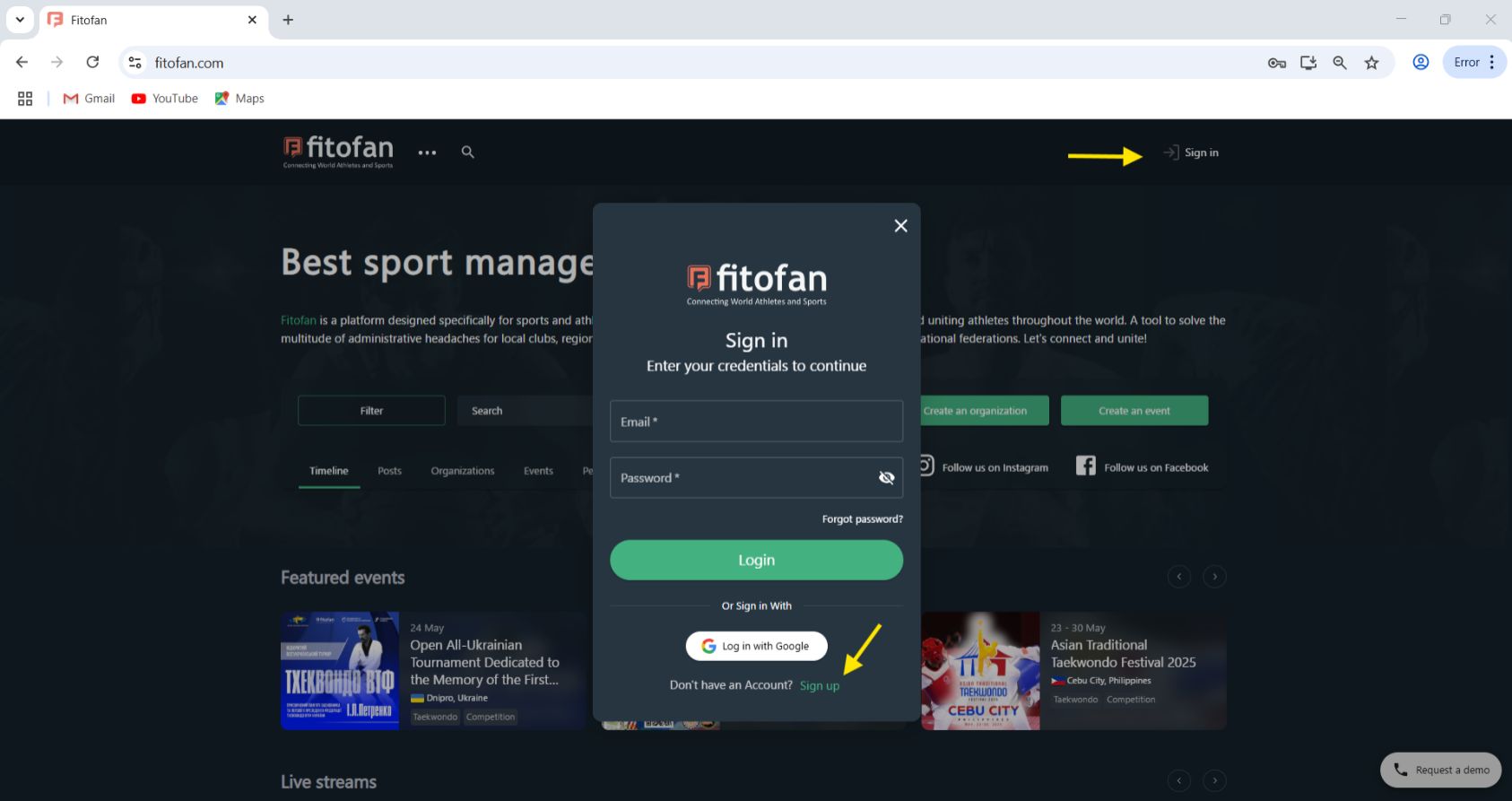
Click on Sign in
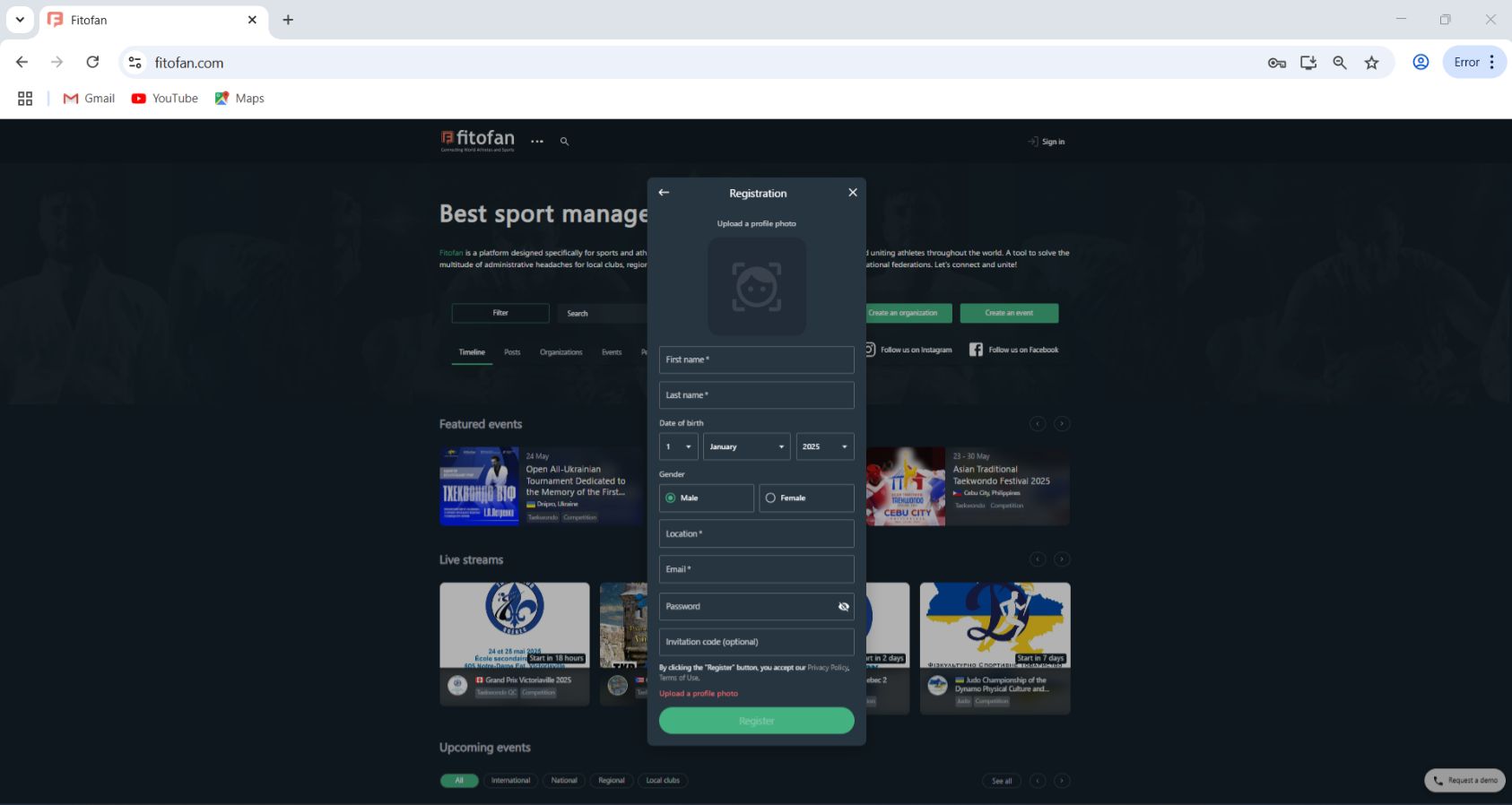
Upload a personal photo. Please note that this photo will be used at all competitions for identification (you can change this photo later); enter your name, DOB, gender, address, email and password. If your school or organization has provided you with an ID code, you can enter it here and you will be added into the organization automatically. Please read the Privacy Policy and Terms of Use. Please note that Photo is mandatory. Click Register when all fields are filled out.
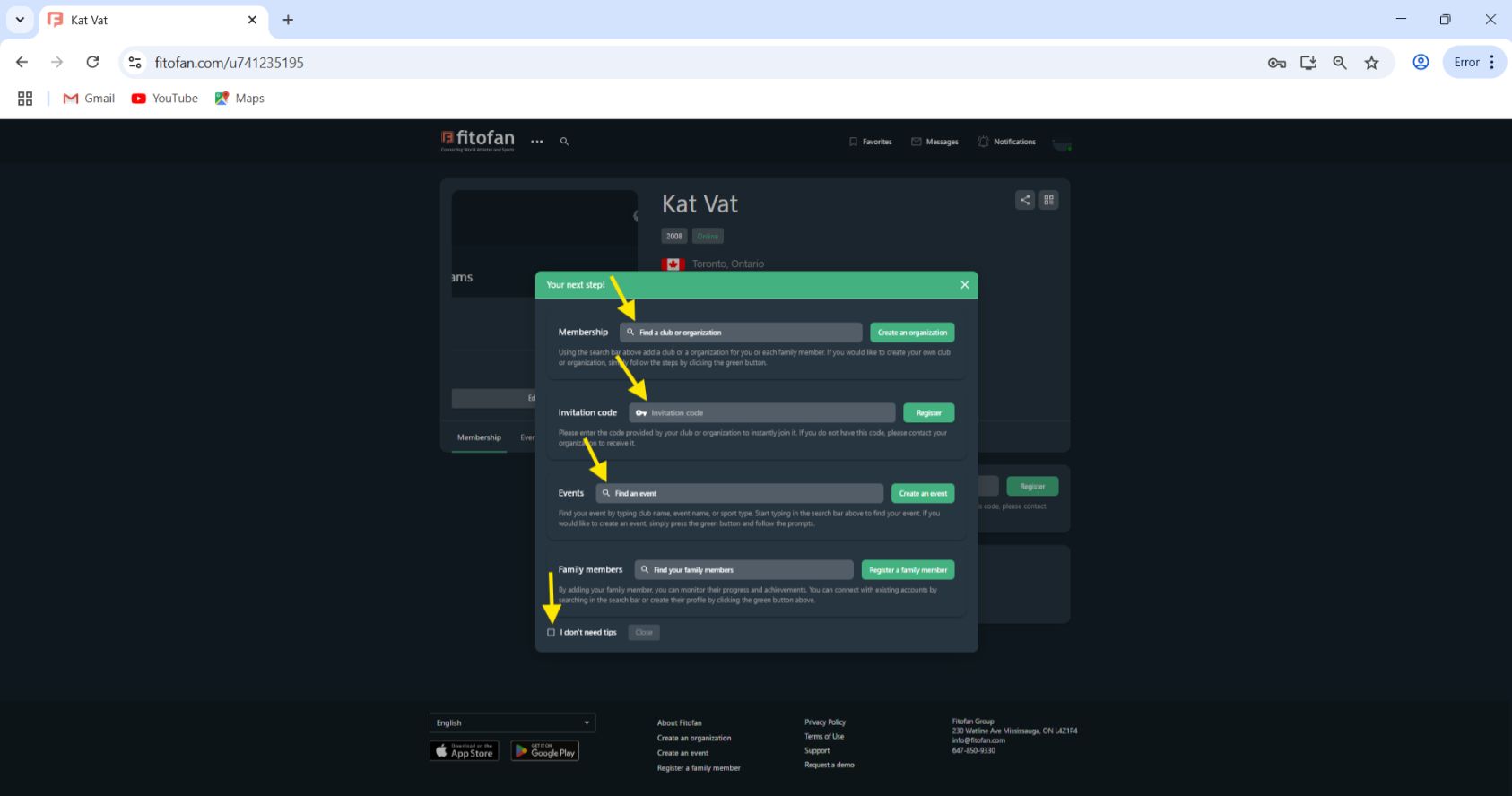
Once the account is created, you will have the pop up appear with some useful links: you can search and find your club or organization, you can enter the ID provided by your organization, you can search for an event, add a family member or simply close the window. If you prefer not to have this pop up appear when you log in, just click I don't need tips and close the window.
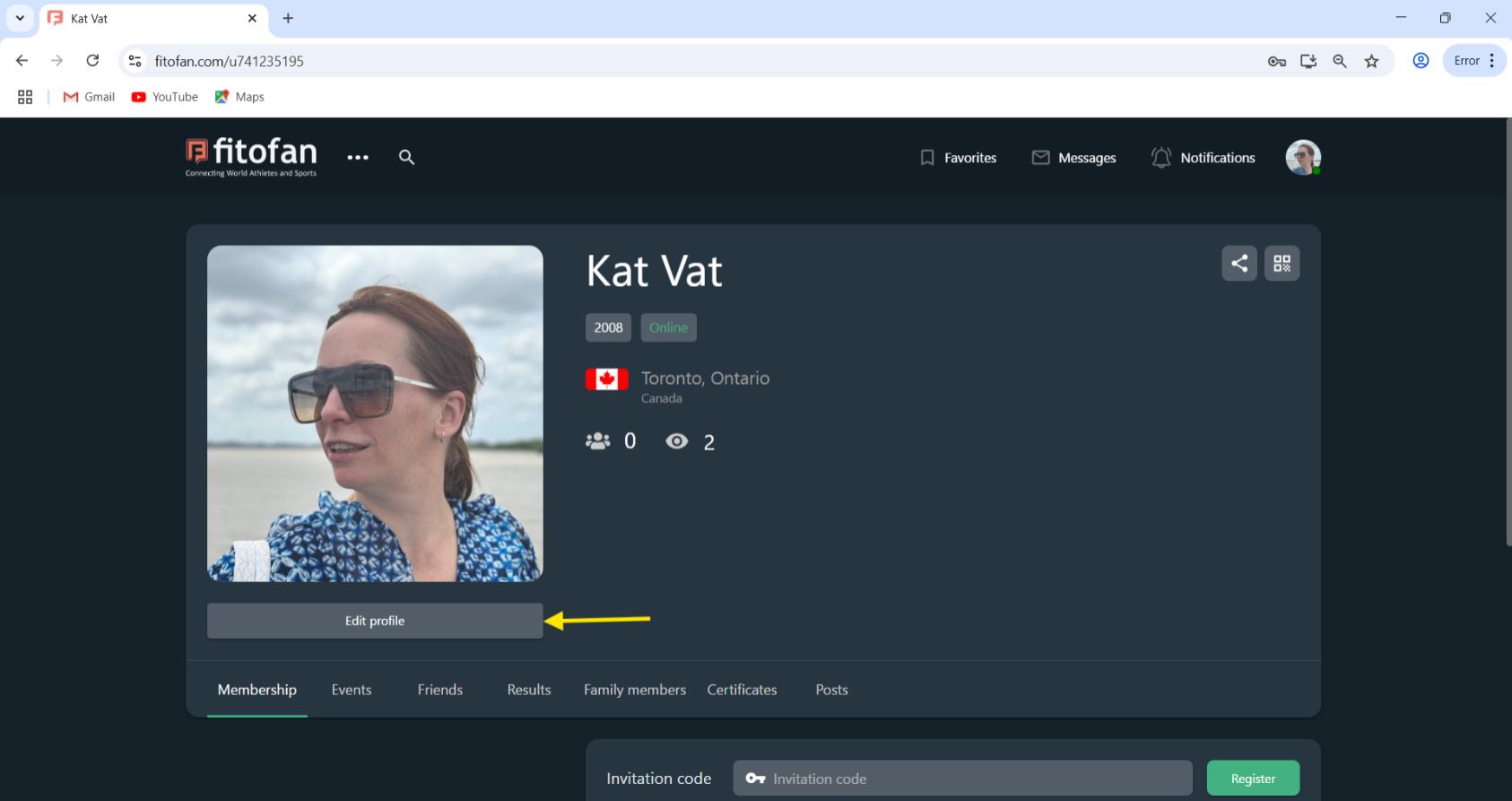
On your profile page, you can already see the basic information that you have entered upon creating your account. Now, you can go into Edit Profile and add additional detail and set privacy settings.
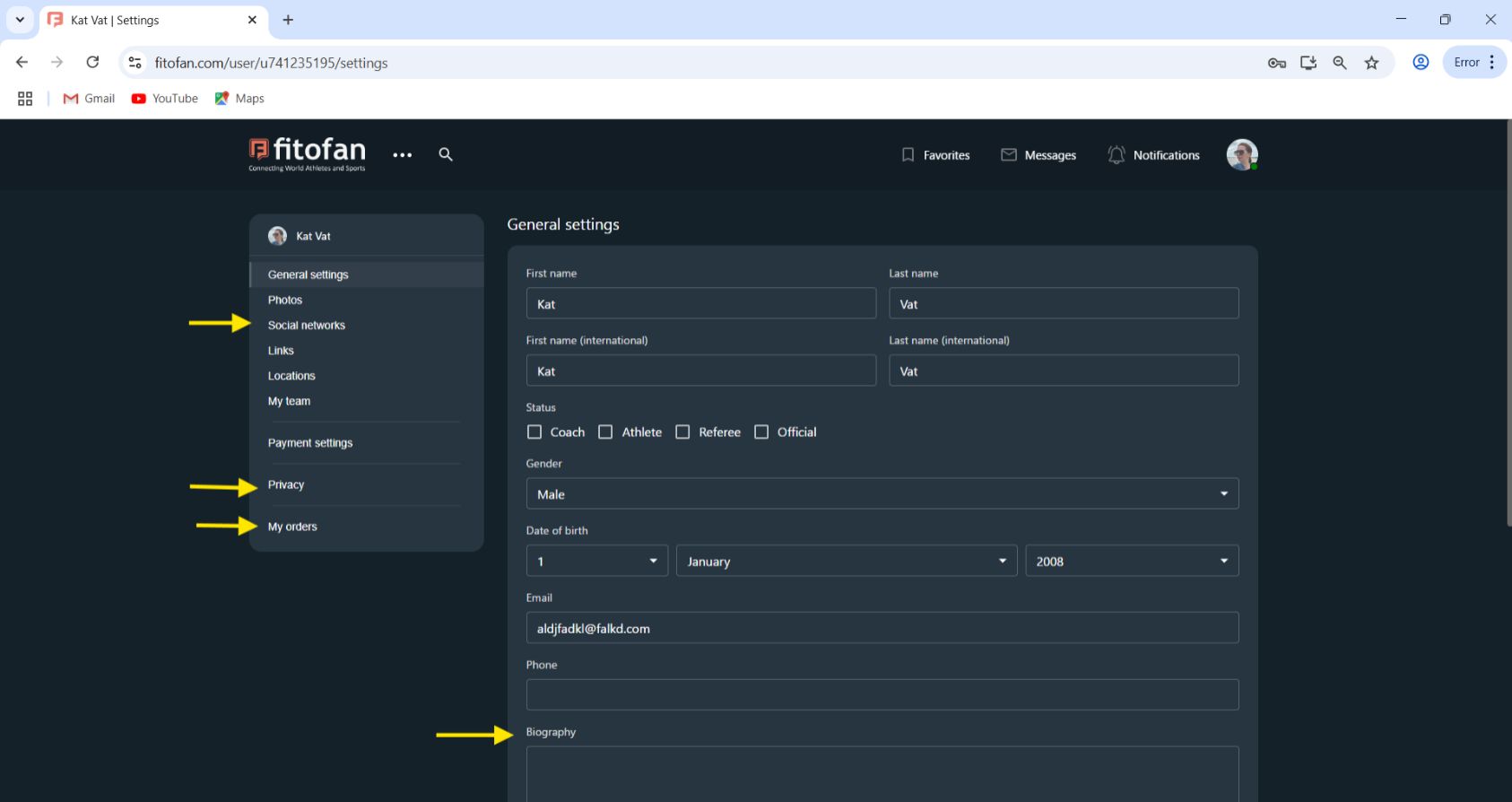
Some of the key setting you want to set are your personal biography, privacy, and adding social networks. Please select whether you are an athlete, coach, referee, or official, if relevant. Your tickets are other purchases will be under My Orders tab. You can change your password under the general settings, however if you used your google profile to log in, this option will not be available.
Now you are ready to go back to your main page and start exploring! You can search or add family members, friends, connect with your club, organization or federation, search and register for events, competitions, and seminars. Results, certificates and event history will automatically populate into your account for all activities held on fitofan.com. Learn, grow and share!