How to operate the WKF Kumite judging system
TABLE OF CONTENTS
1. Starting the Scoreboard Screen
2. Connecting the Judges
3. Joystick Layout
4. Score and Senshu Confirmation
5. Penalties and Medical Time
6. How to Edit Match Time
7. Hantei – Judges' Vote
8. Saving and Deleting Results
9. Changing Matches and Checking Brackets
10. Scorekeeper
1. Starting the Scoreboard Screen
To learn how to obtain the scoreboard link, see this guide.
Click Screen and then Open in a new tab.
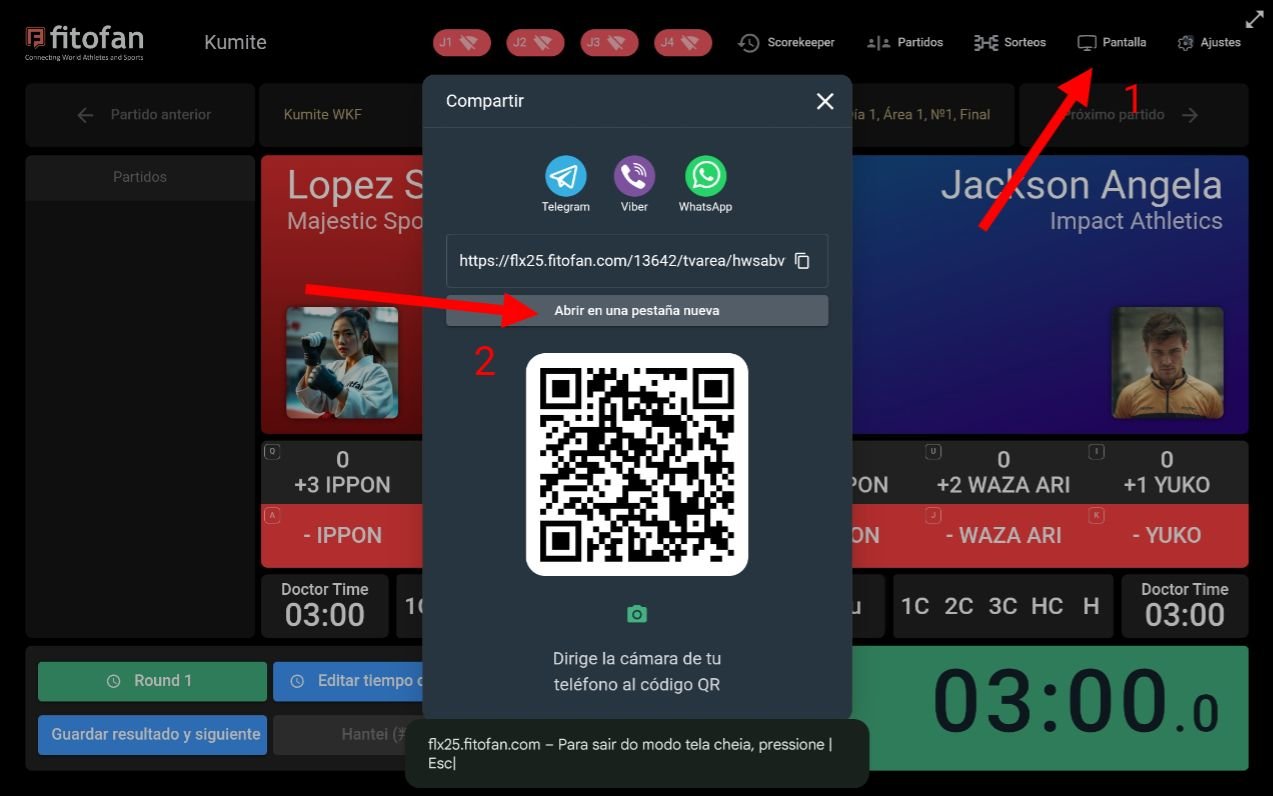
Drag the new tab to the monitor that will be used to display the scoreboard to the public. Once the page appears on that monitor, click in the center of the screen to activate and start the scoreboard display.
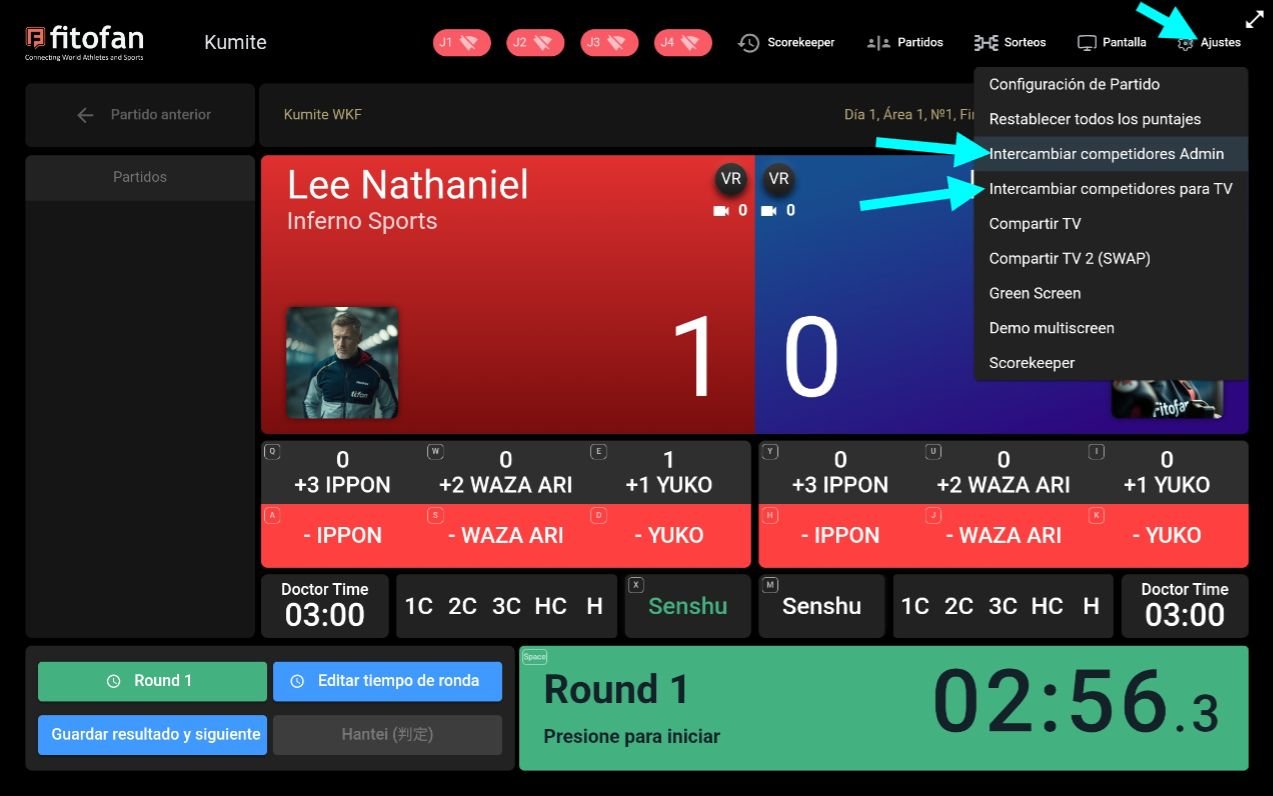
To change the position of the athletes on the screen, click Settings and select the desired option.
Swap Competitors Admin: Changes only the administrator's screen without affecting the external scoreboard.
Swap Competitors for TV: Changes only the external screen without affecting the administrator's view.
2 Connecting the Judges
Left click the Judge you want to connect and then click Connect.
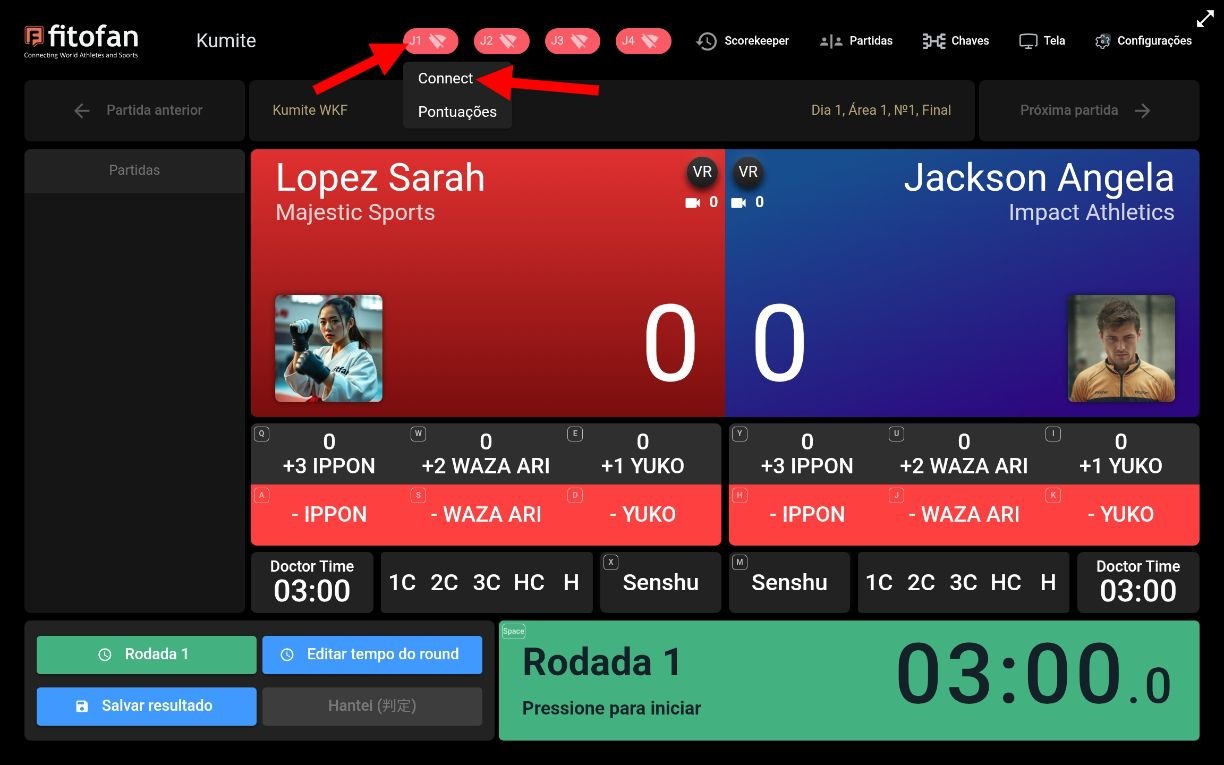
Using the Fitofan Touch application, scan the QR code.
Important
The judge's phone must be held horizontally.
Two judges must not scan the same QR code.
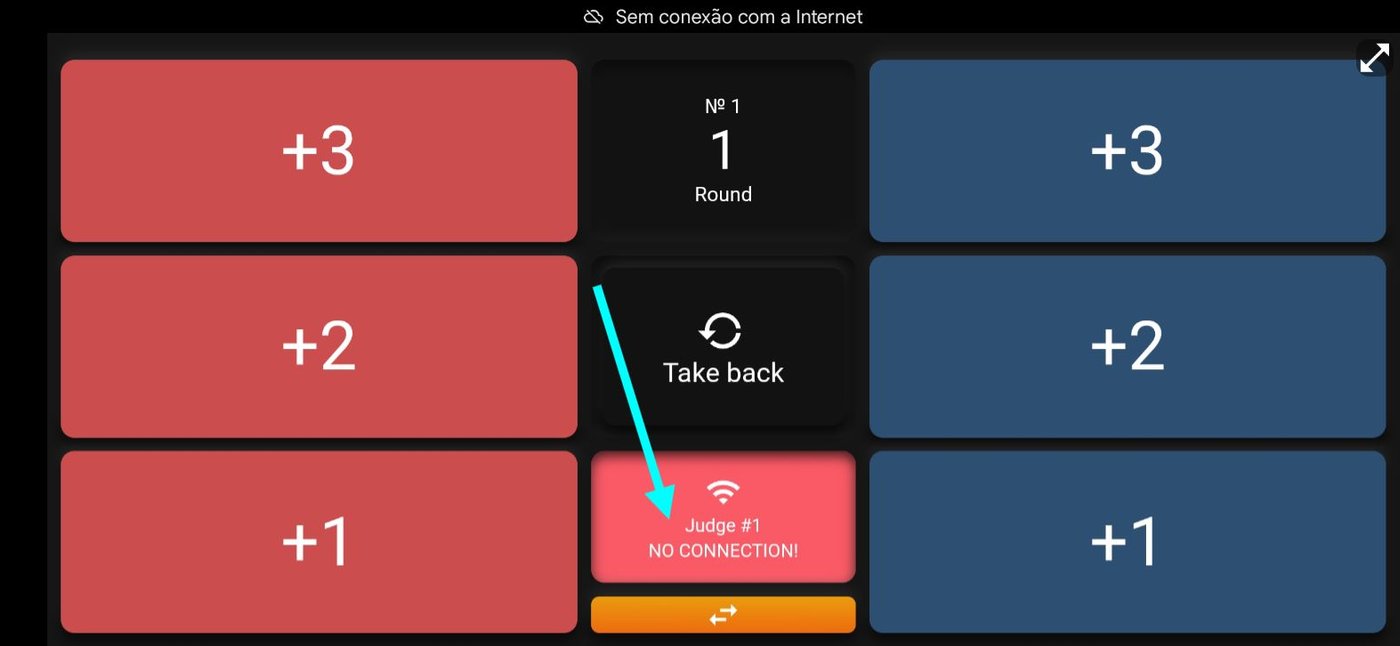
When a judge is connected, their name will turn green.
If the connection is lost, the name will turn red again.
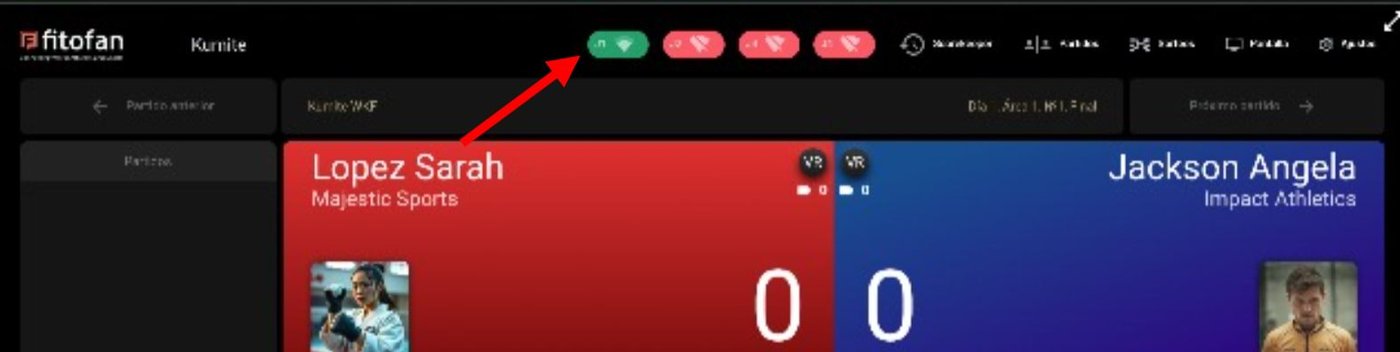
It is also possible to identify the judges' devices if they are not connected.
3 Joystick Layout
For greater convenience, judges can use the Fitofan Touch application, available for Android and iOS, or scan the QR code directly with the device's camera without using the application.
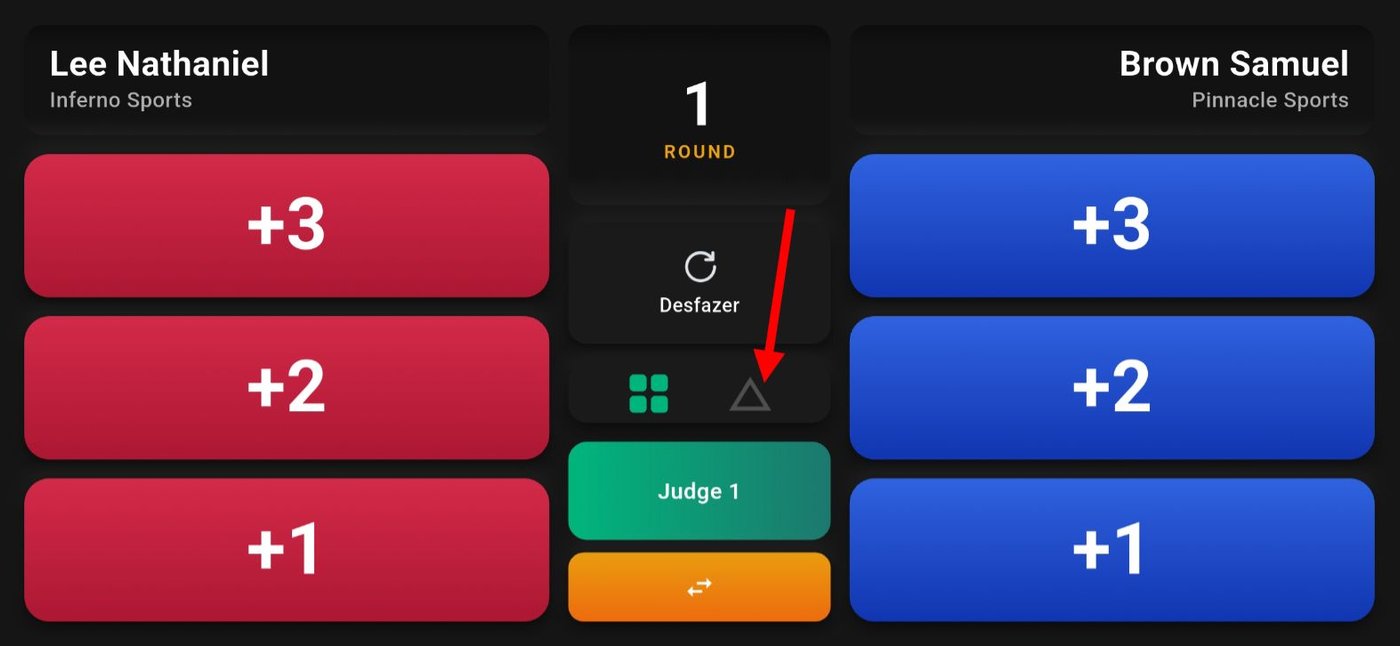
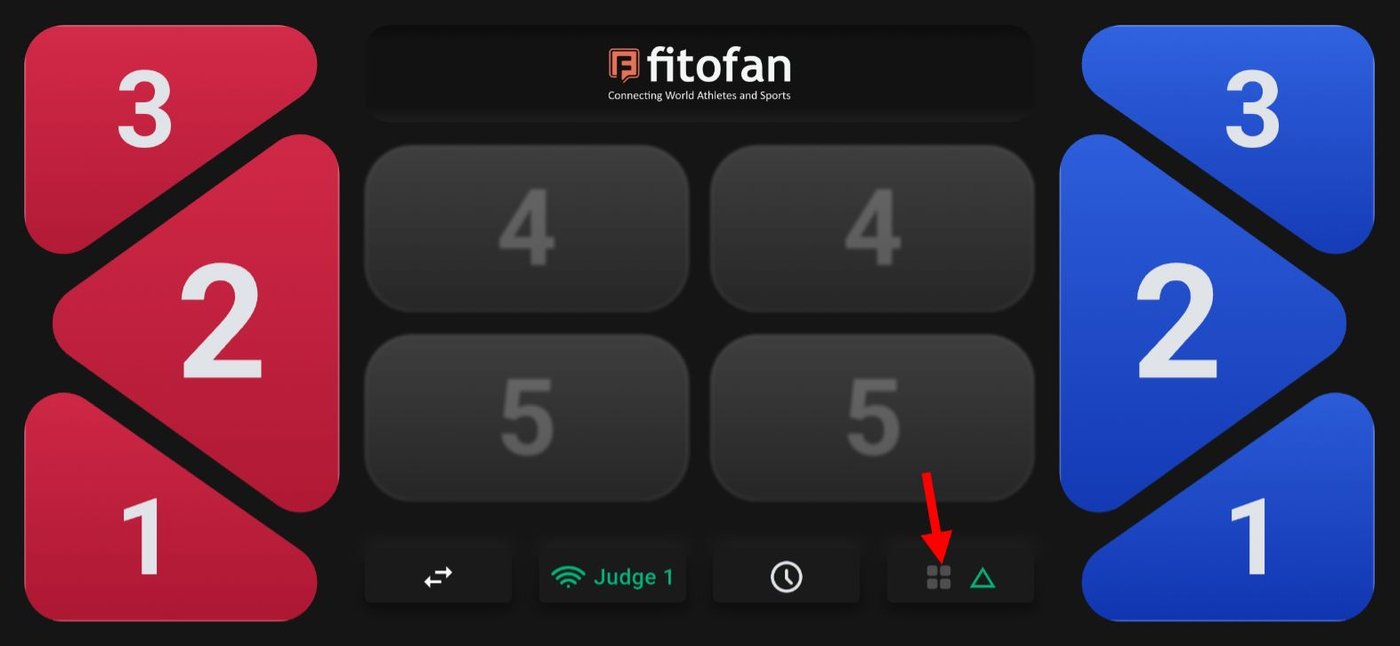
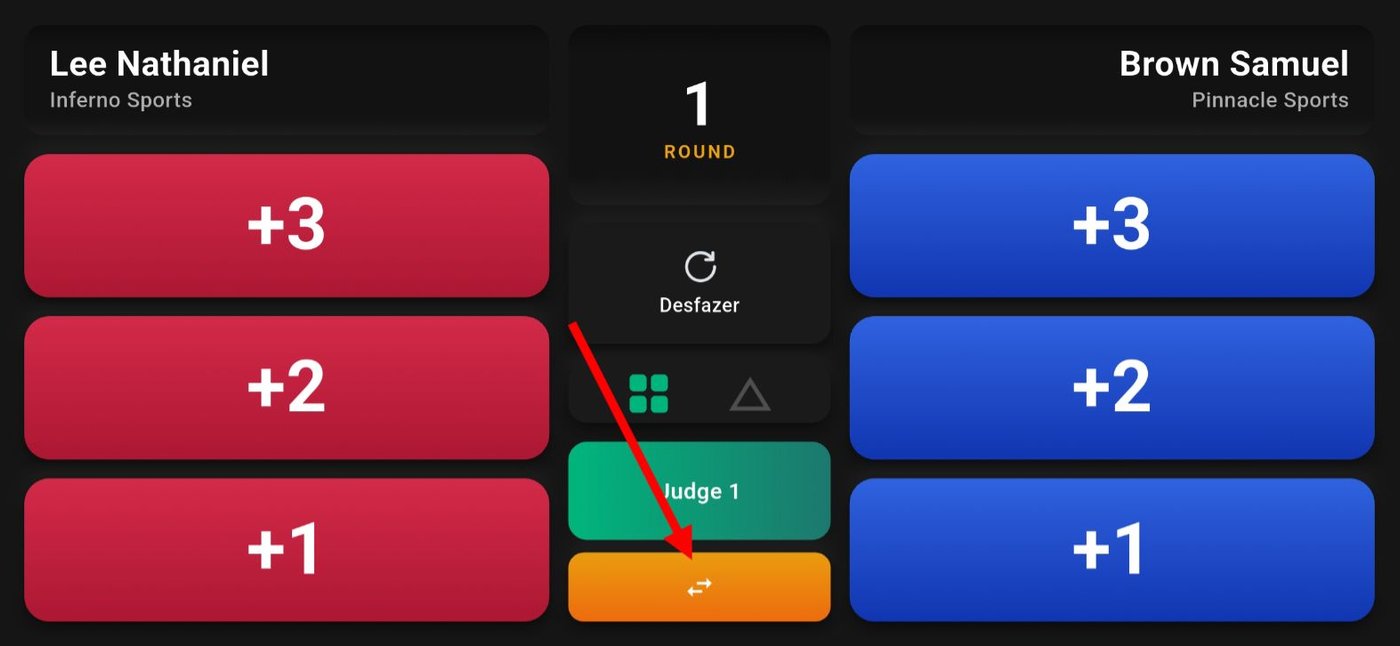
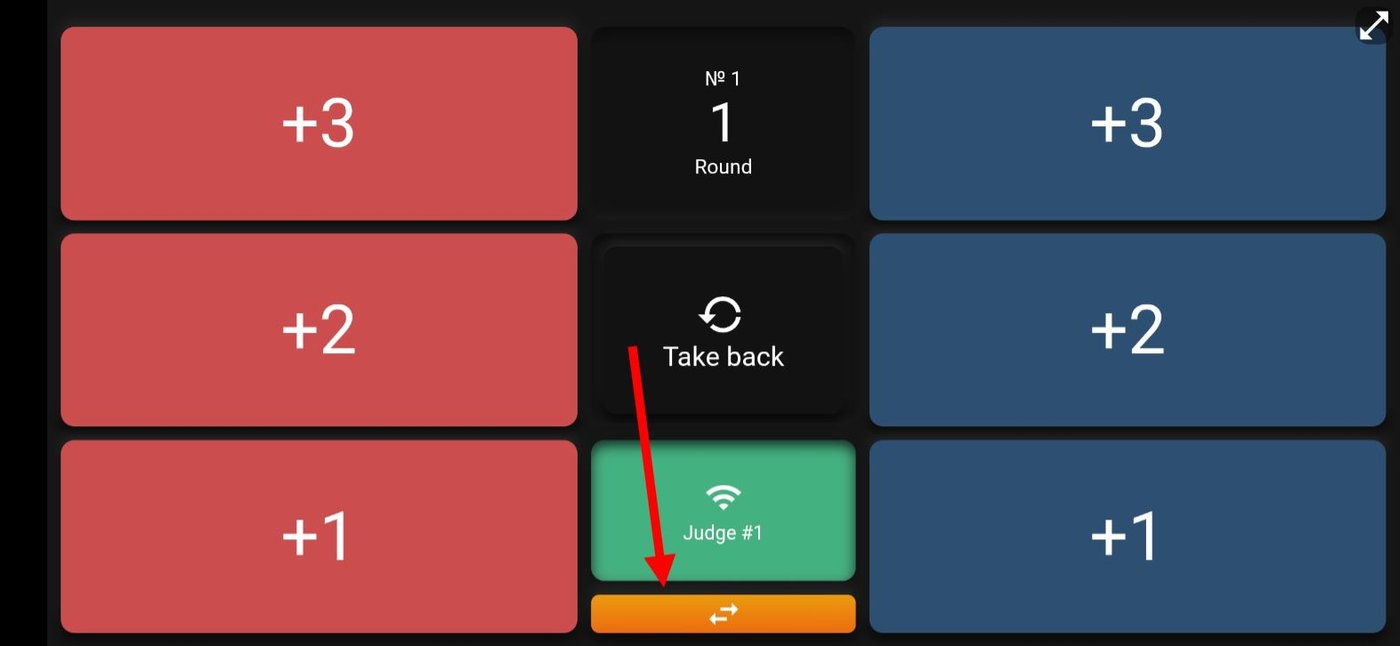
Fitofan Touch has two display options.
Choose the one that is most convenient for youO
Option 1
Option 2
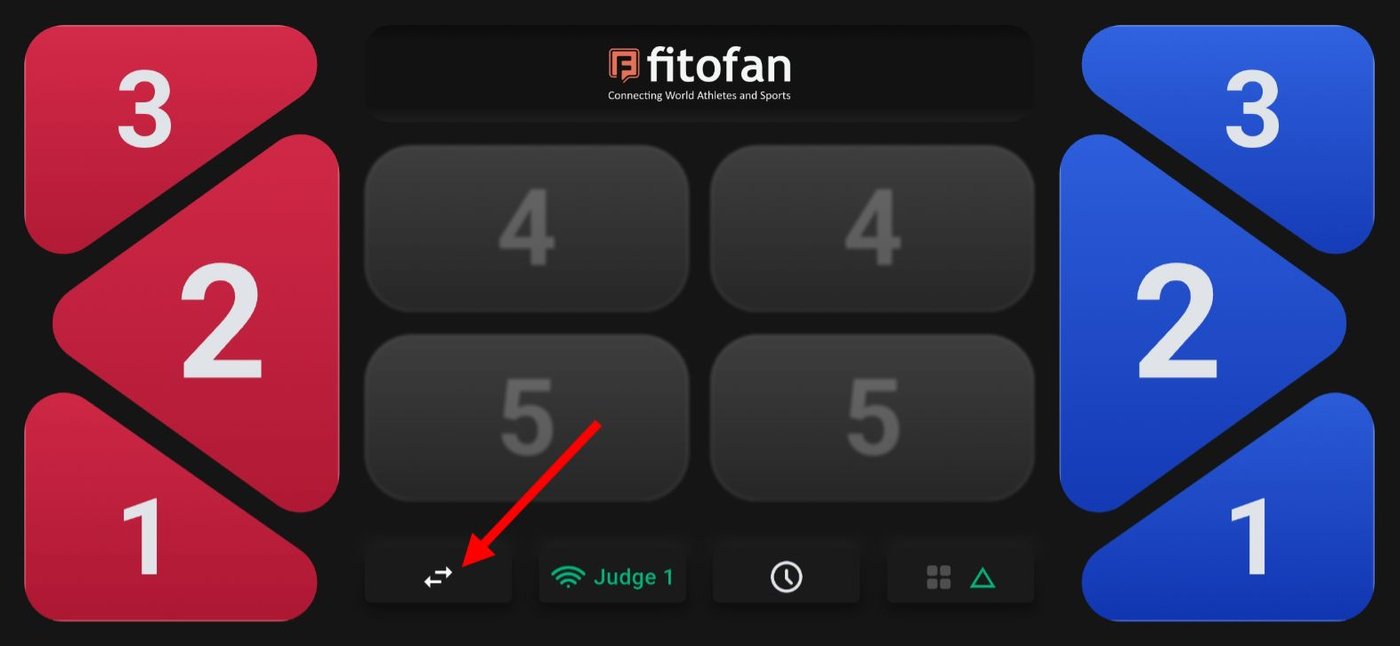
To change the athlete's side on the joystick, simply press the arrows located in the center of the screen on the device.
FItofan touch:
Browser:
4 Score's confirmation and Senshu
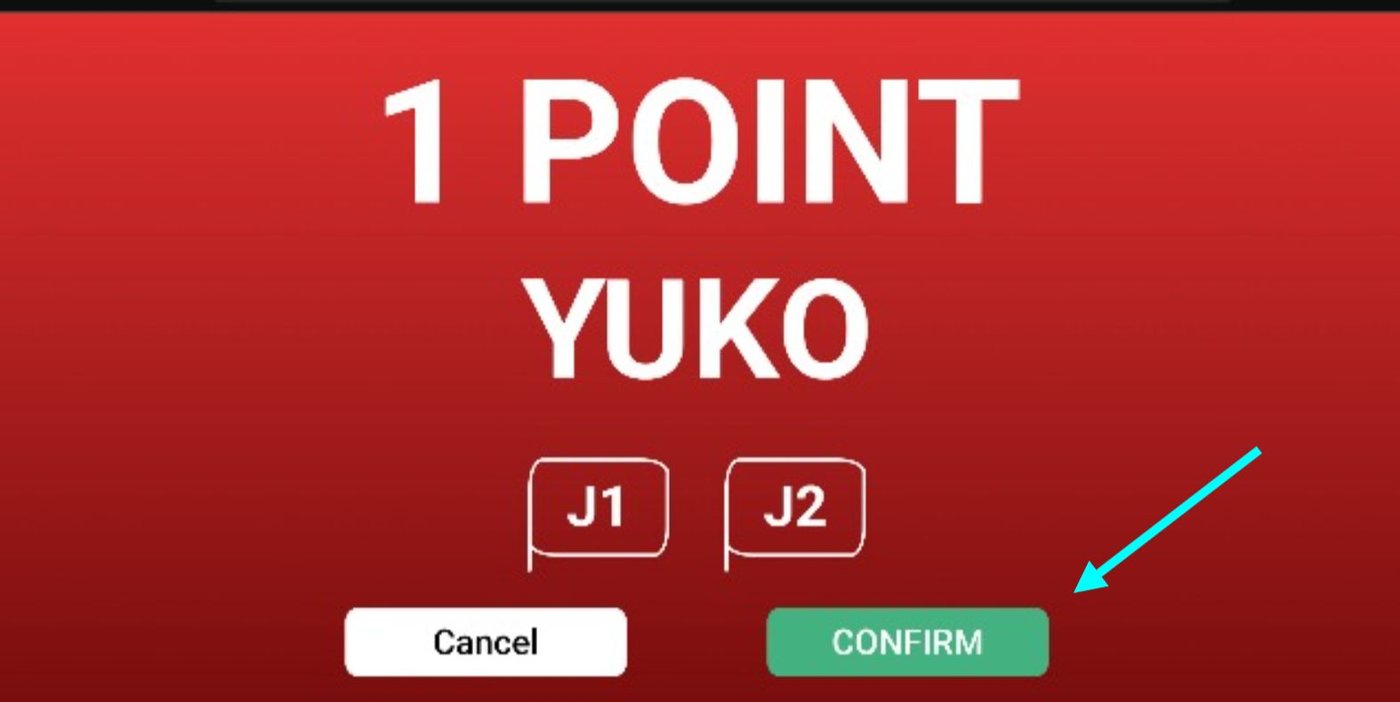
When two or more judges enter a score for the same athlete, the timer will immediately stop, and the administrator can choose to confirm or cancel the scores..
If it is necessary to change a score, click +/- to add or remove the corresponding points.
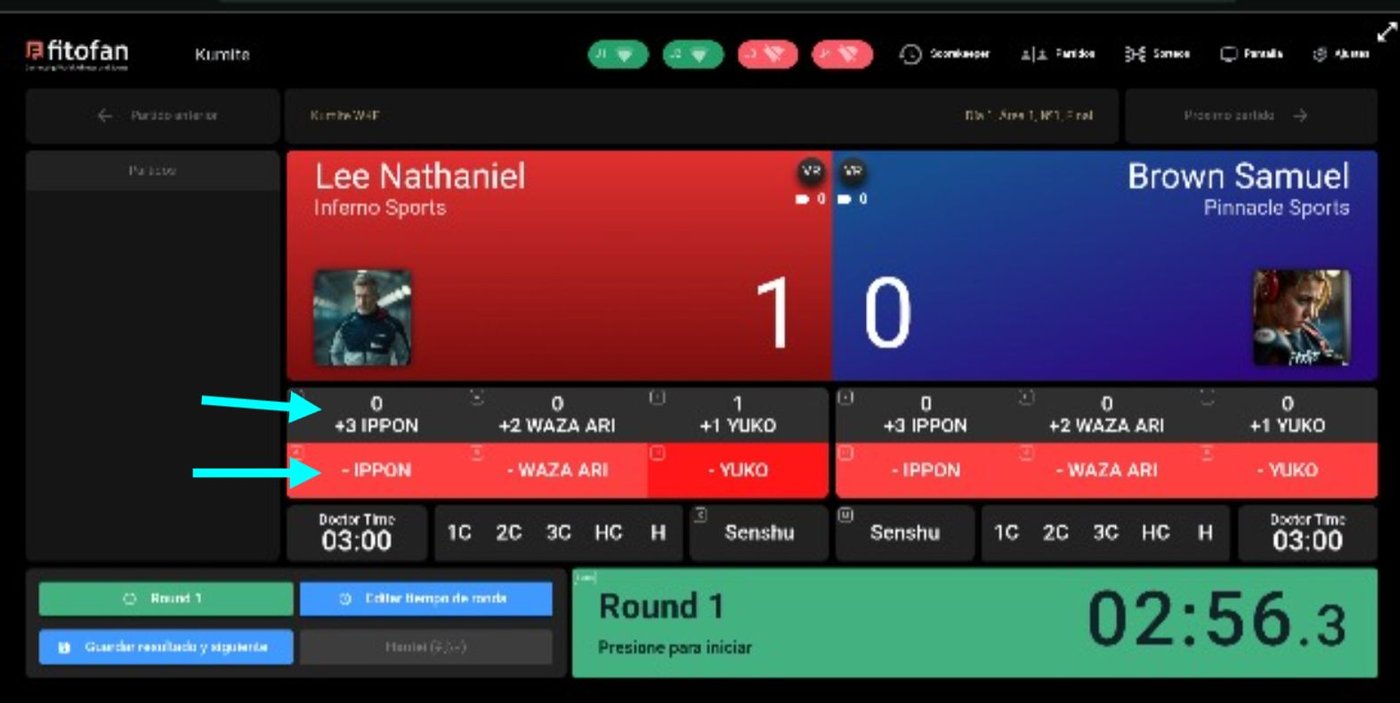
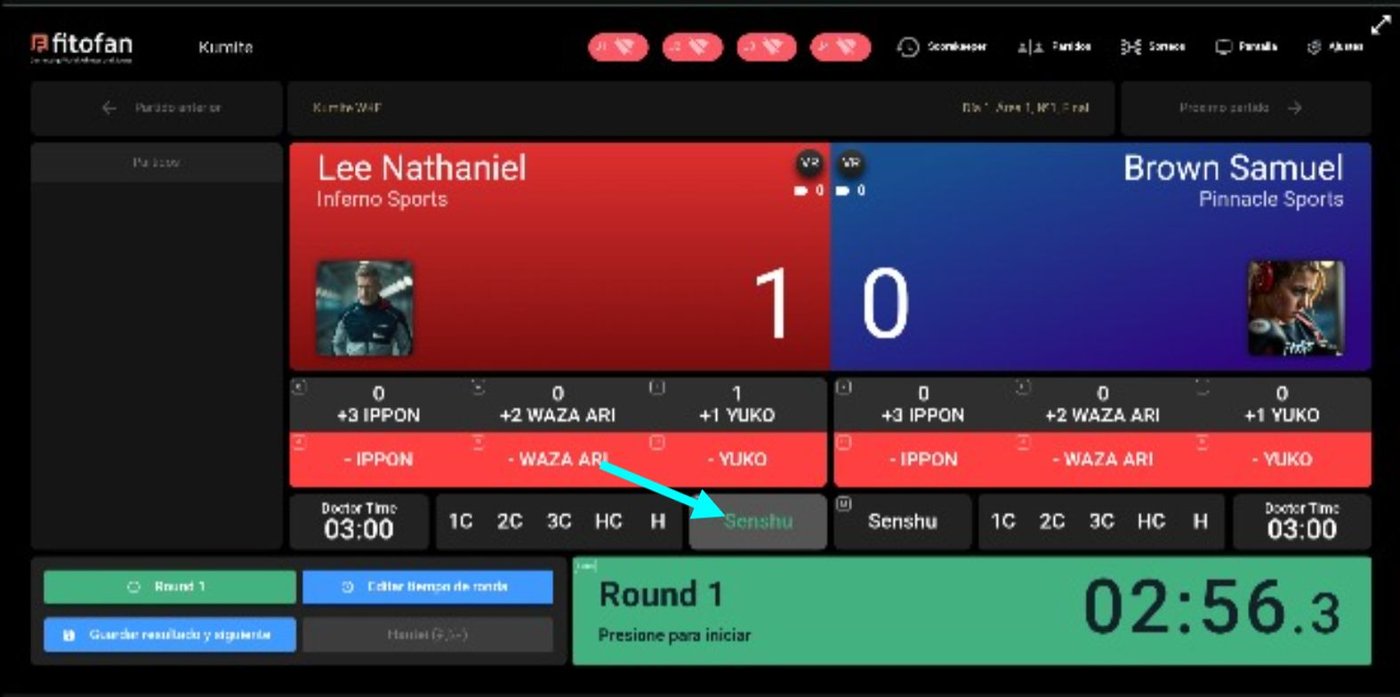
Senshu is located in the center of the screen. To add it, simply click on it. It will turn green, indicating that it has been added. To remove it, use the same procedure; it will return to white when removed.
5 Penalties and Doctor Time
The penalties are located on the same line as Senshu.
1C, 2C, 3C = Chui
HC = Hansoku Chui
Hansoku
To add a penalty, click on it. It will then turn red.
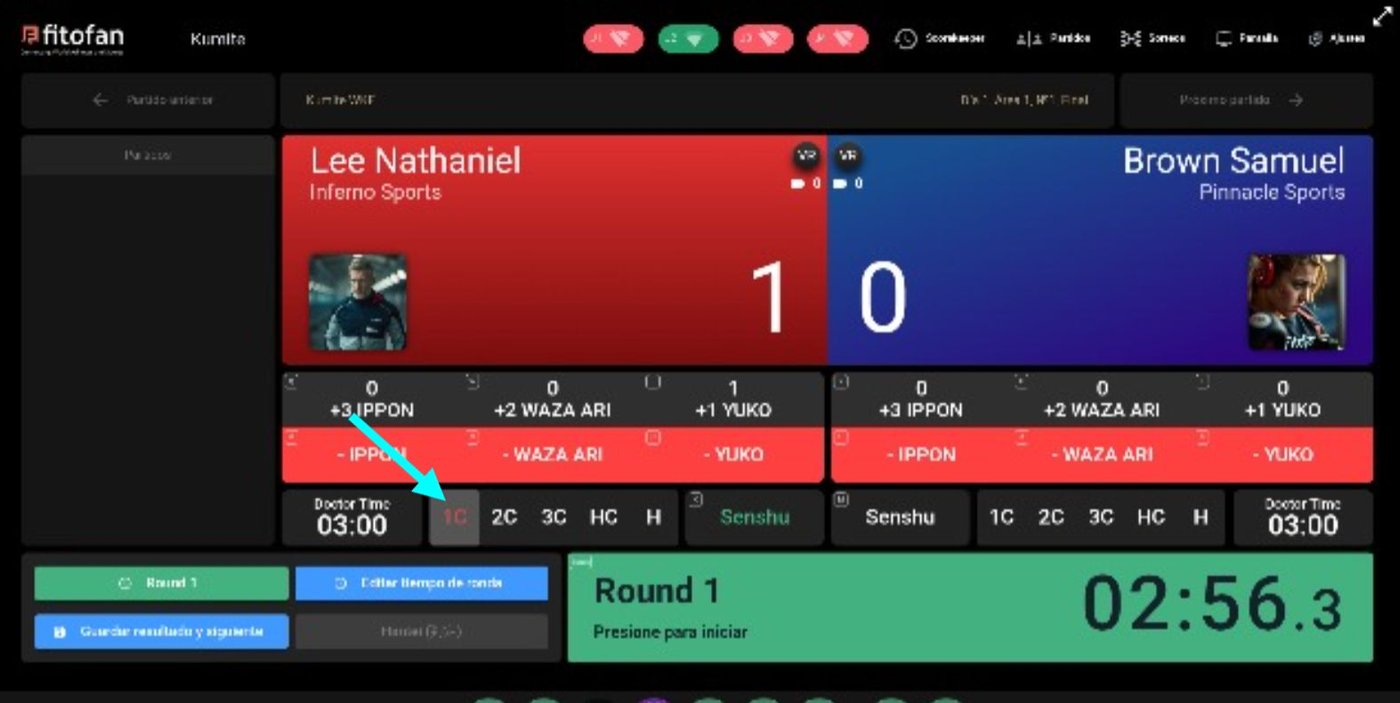
To decrease the penalty level, click on the previous penalty. If it is 1C, clicking it again will remove the penalty.
6 How to Edit Match Time
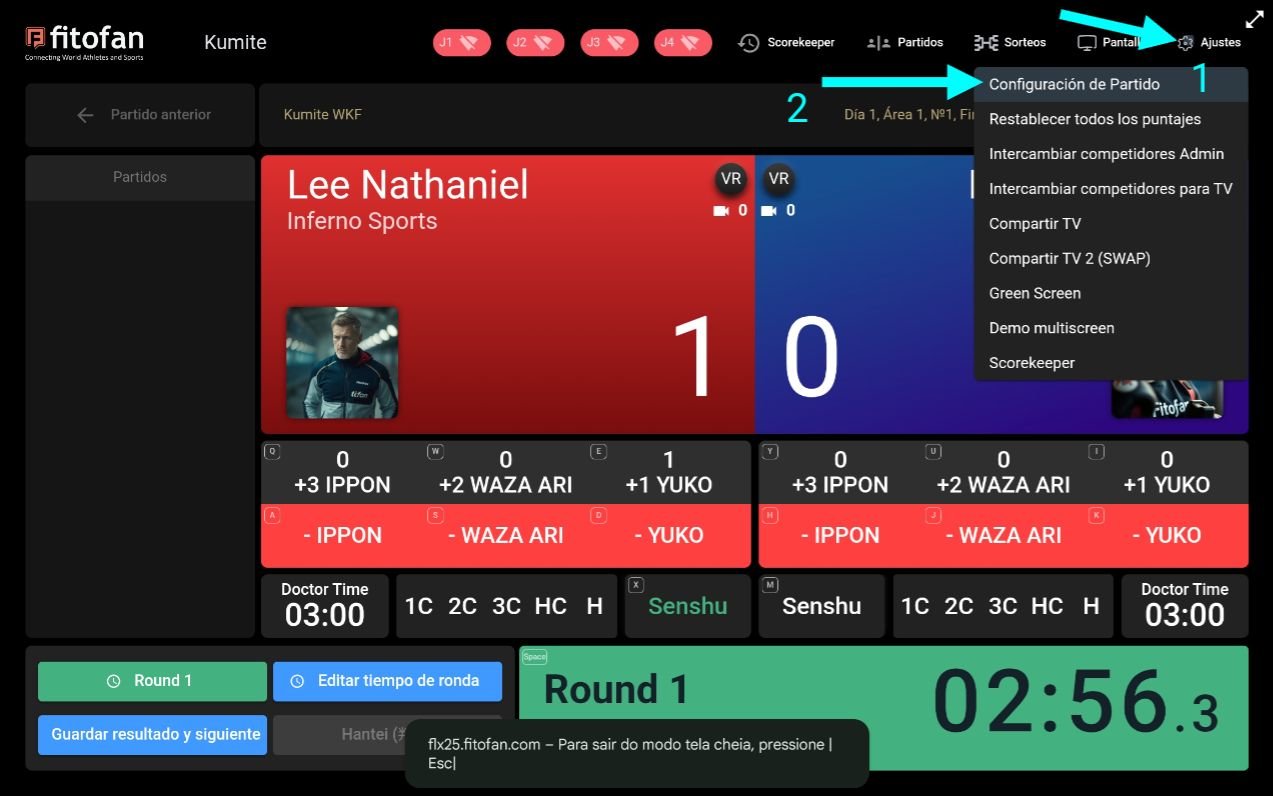
To change the duration of a match or category, click Settings (gear icon in the upper-right corner) and then Match Settings.
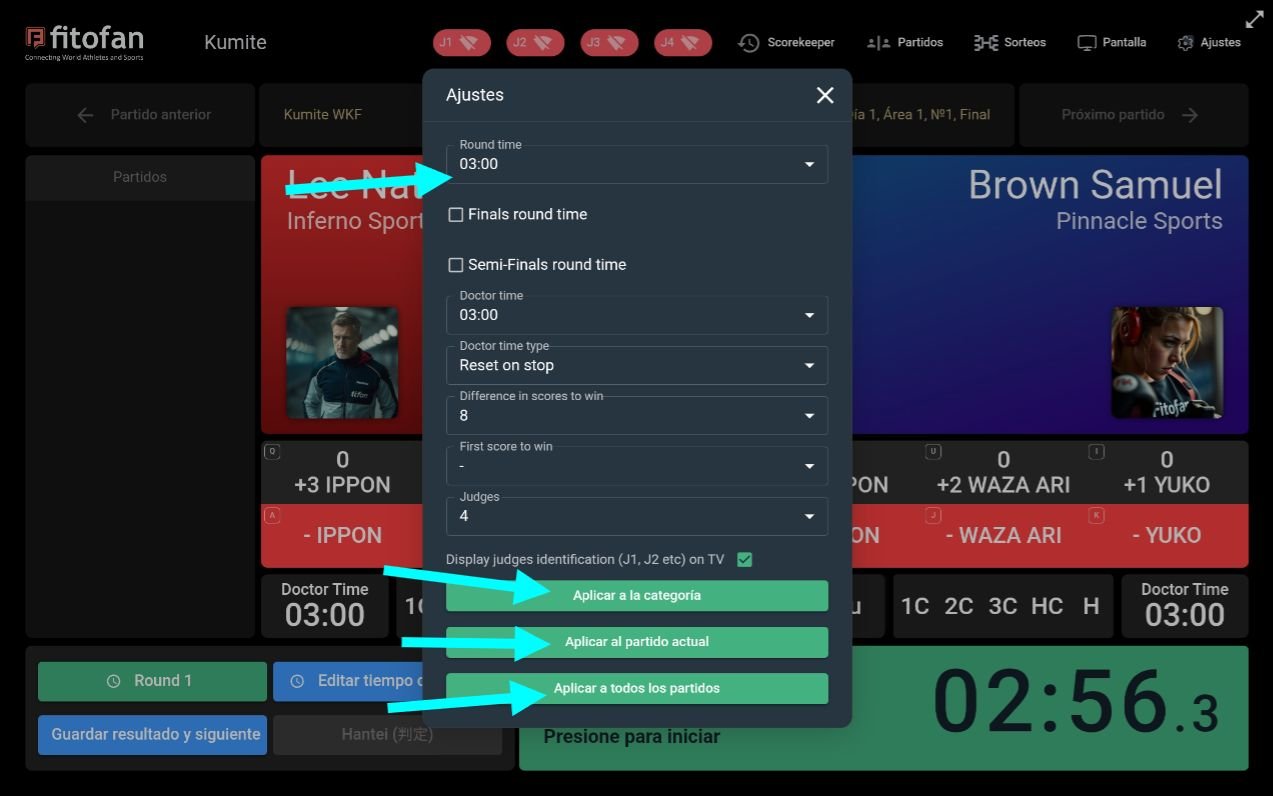
Select the desired time and choose whether it should apply only to the current match, the entire category, or all matches on that tatami.
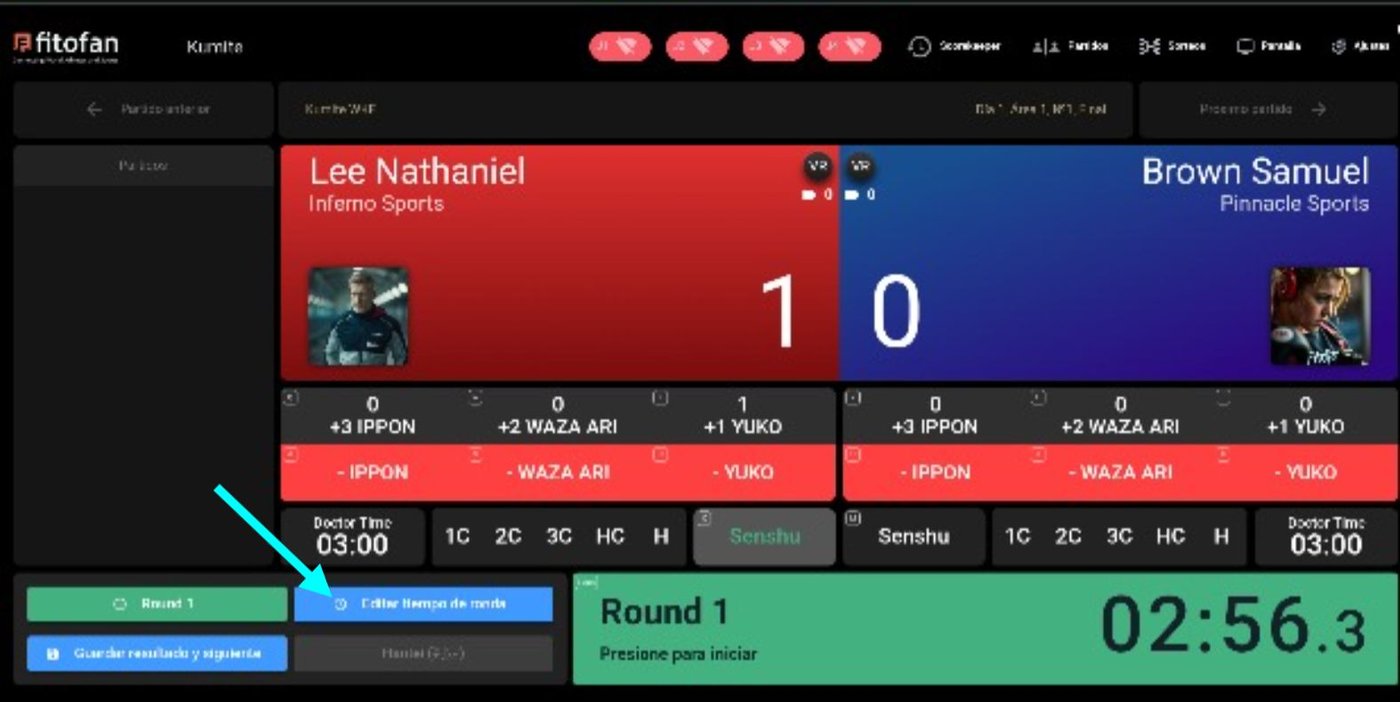
If it is necessary to adjust the timer after a match has started, click Edit Round Time (to the right of the timer).
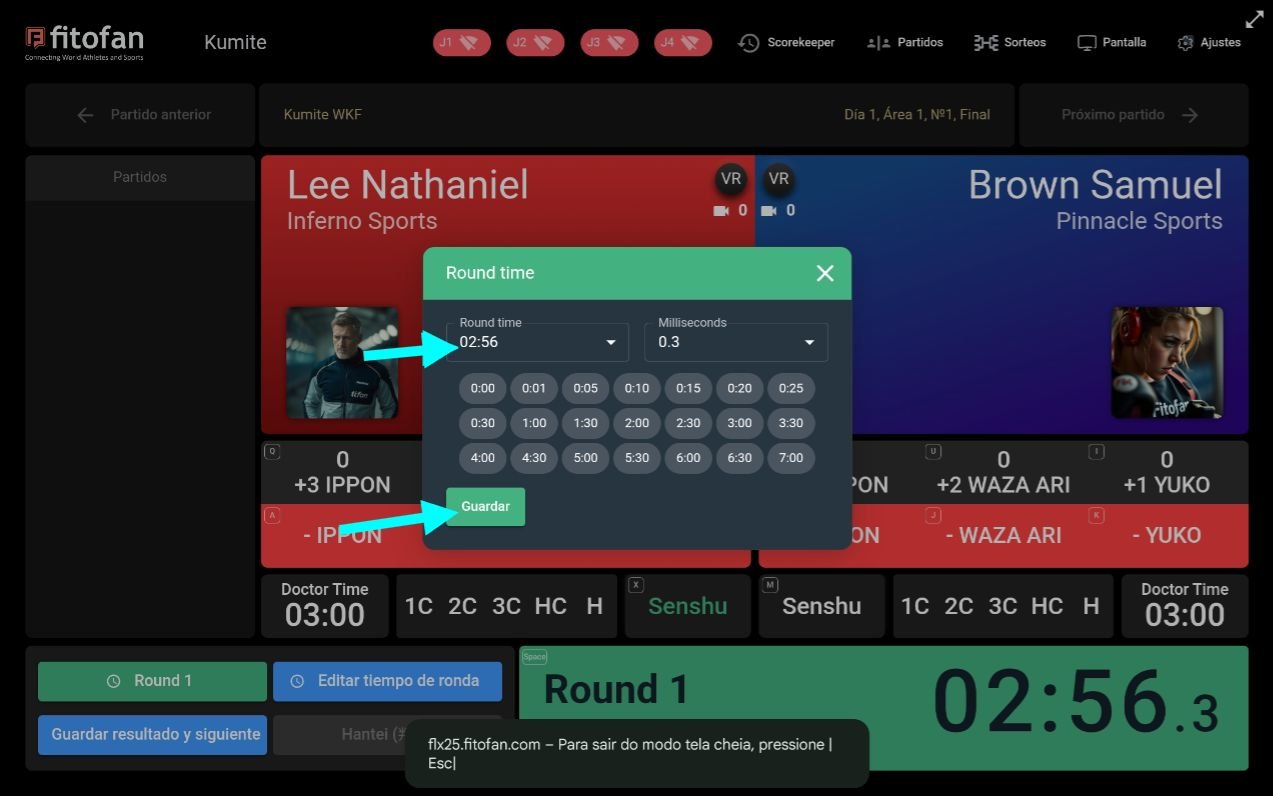
Then select the match time and save the change.
7 Hantei – Judges' Vote
If there is no winner at the end of a match, the Hantei option will become available.
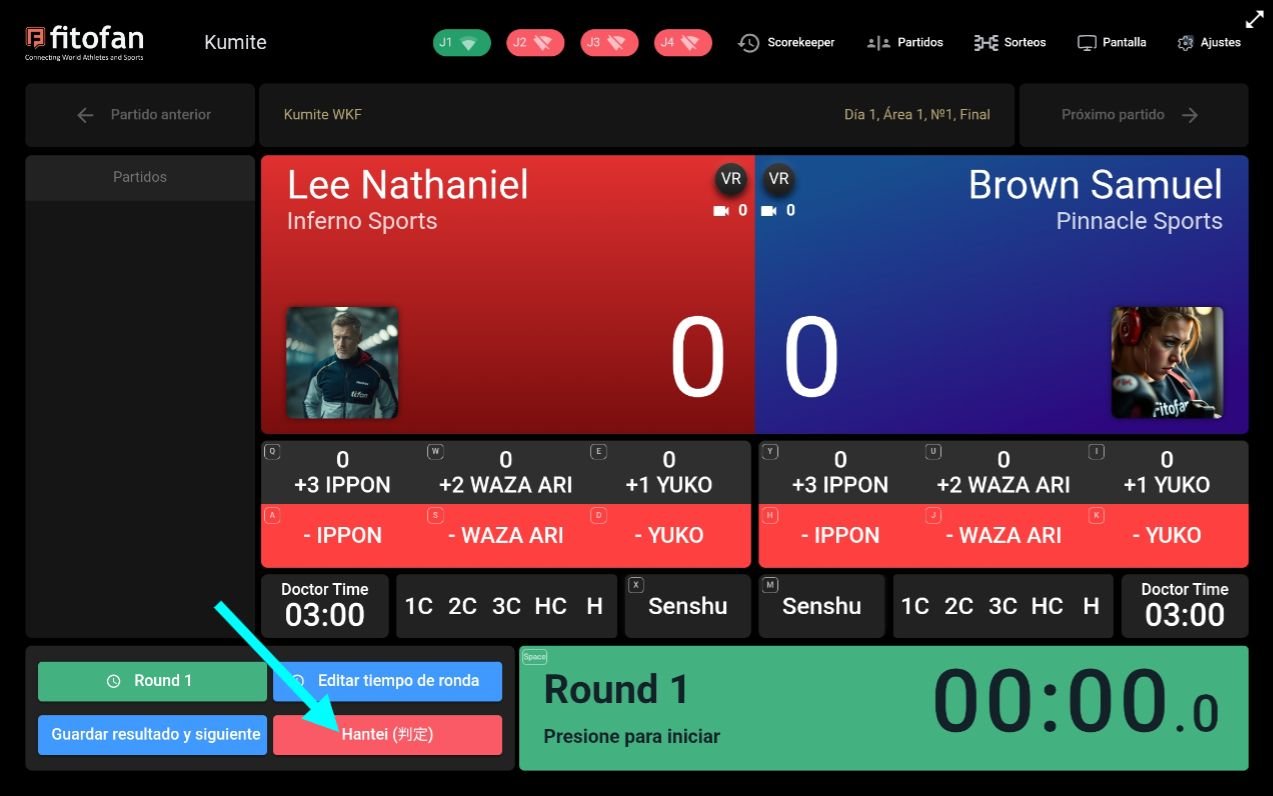
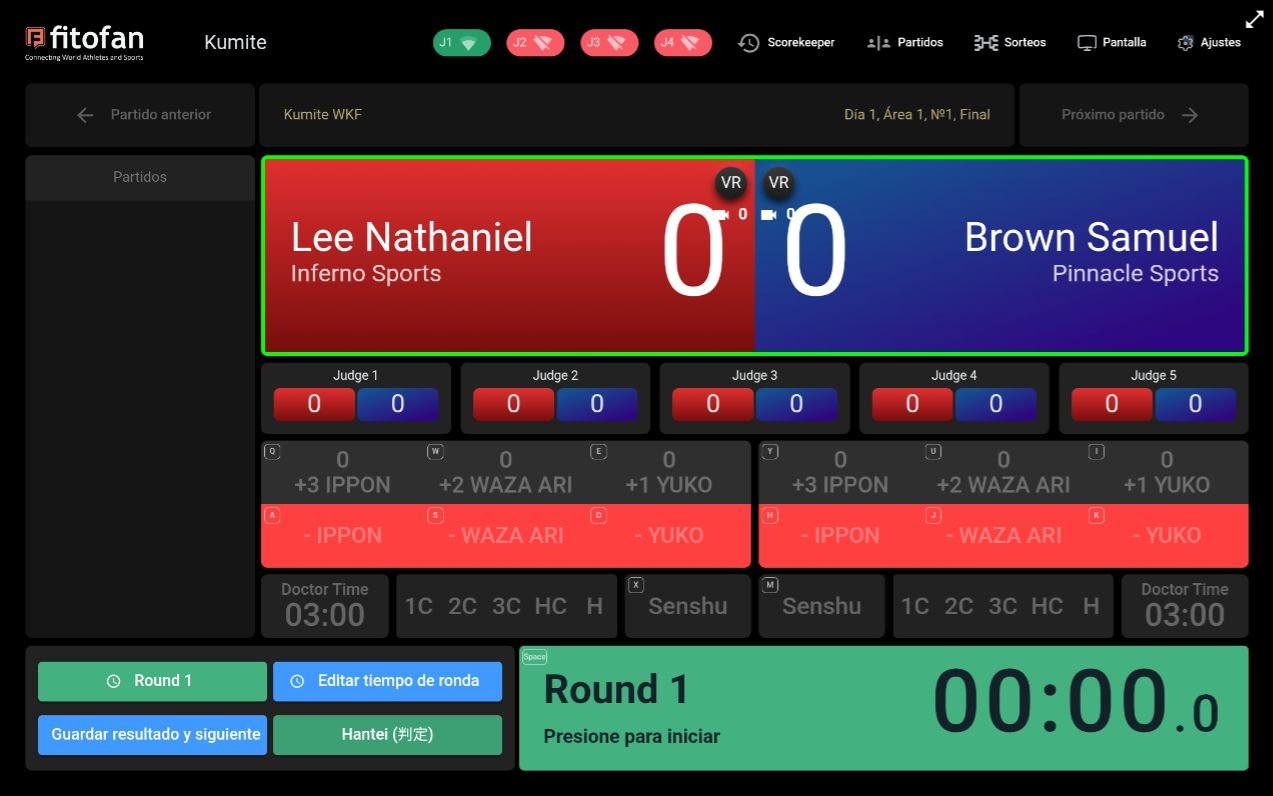
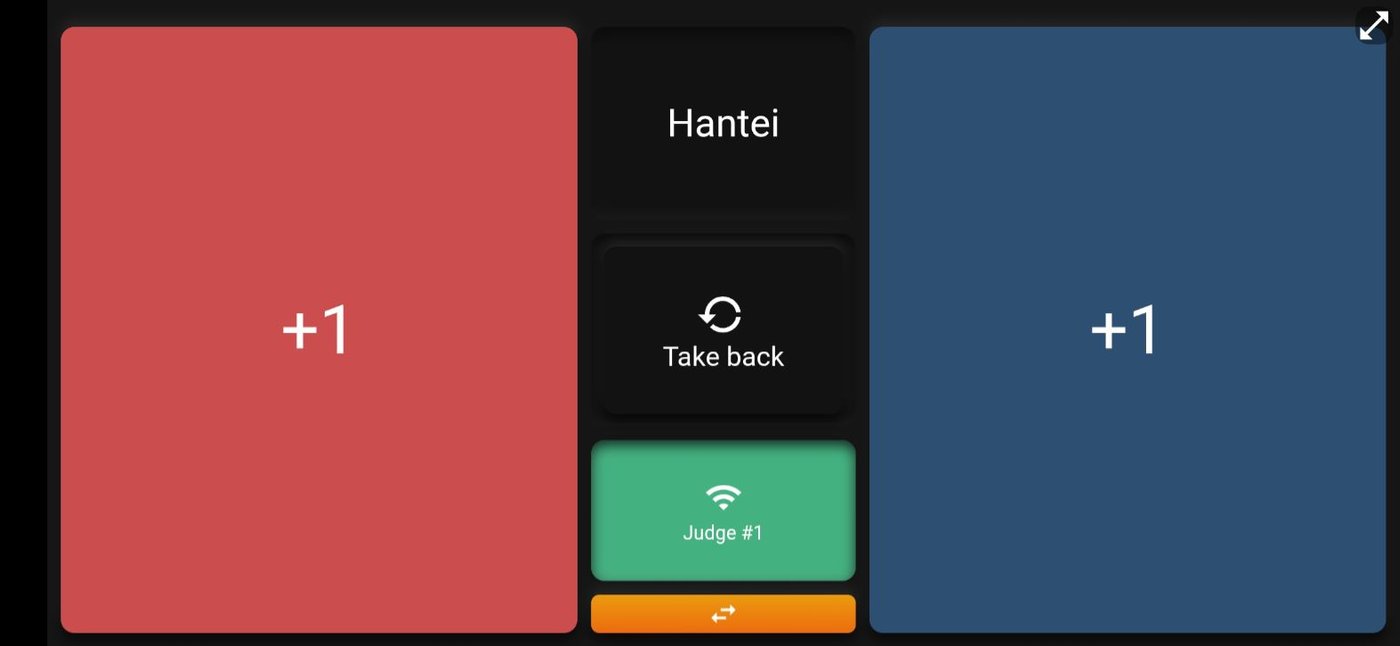
When selecting Hantei, the administrator's screen and the joysticks will change to the voting layout.
Joystick view
8 Saving and Deleting Results
At the end of the match, it is time to save the result and proceed to the next match.
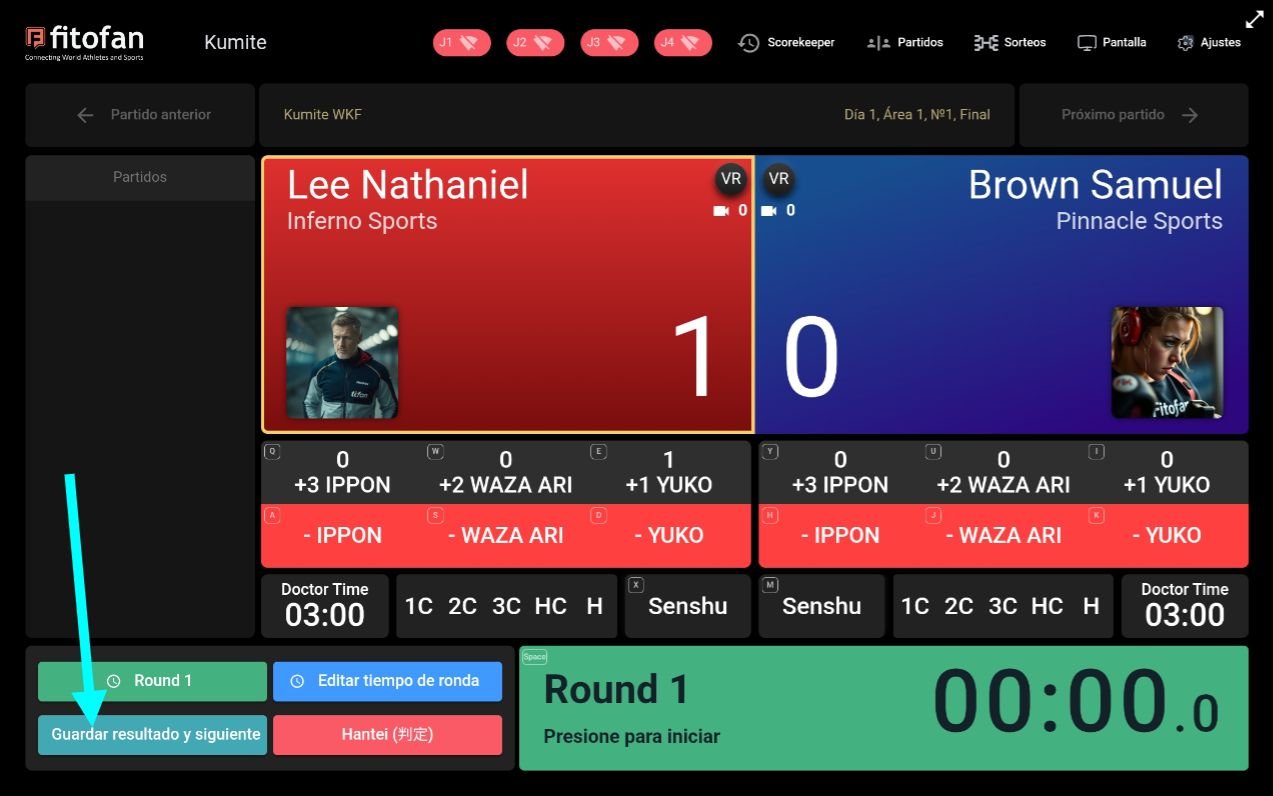
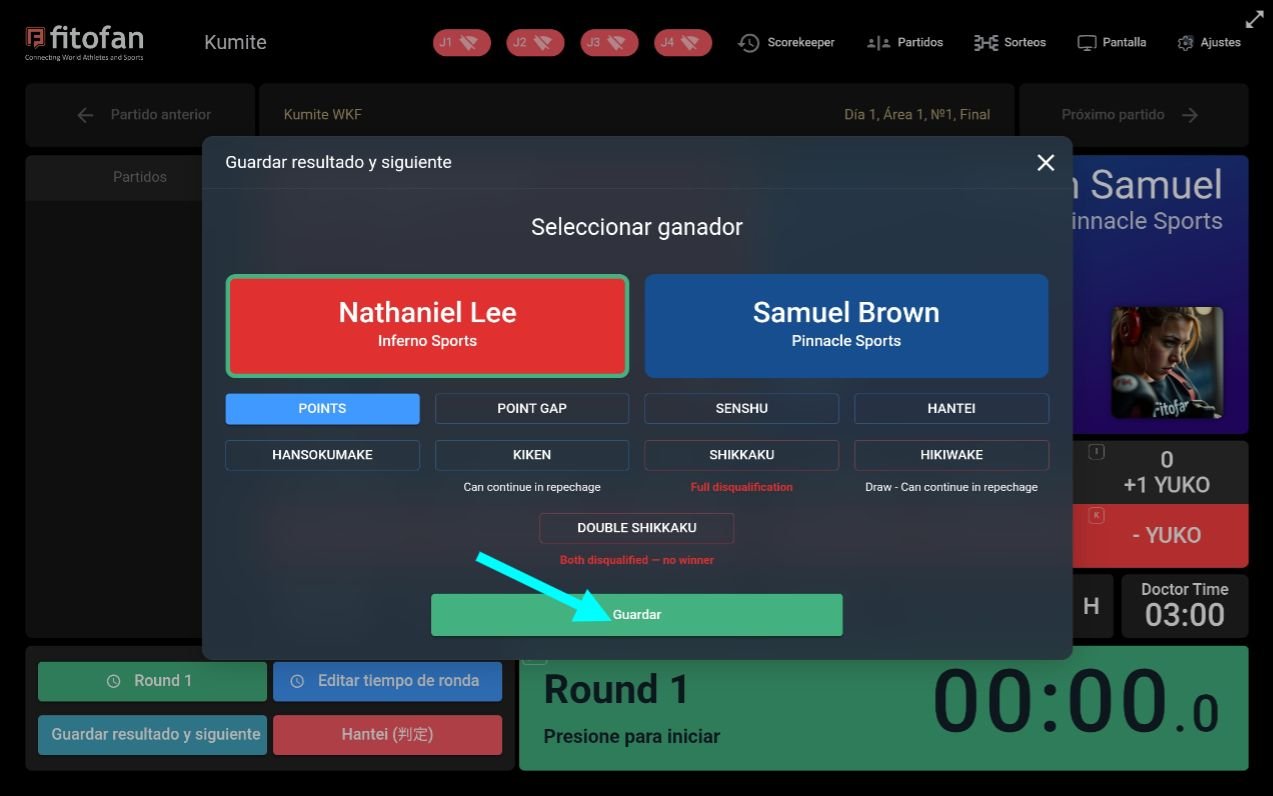
Then select the winner, choose the reason for the victory, and save.
Points: Won by scoring the highest number of points.
Senshu: Won by having Senshu.
Kiken: Won because the other athlete received Kiken.
Hansoku Make: Won because the other athlete received Hansoku.
Shikkaku: Won because the other athlete received Shikkaku.
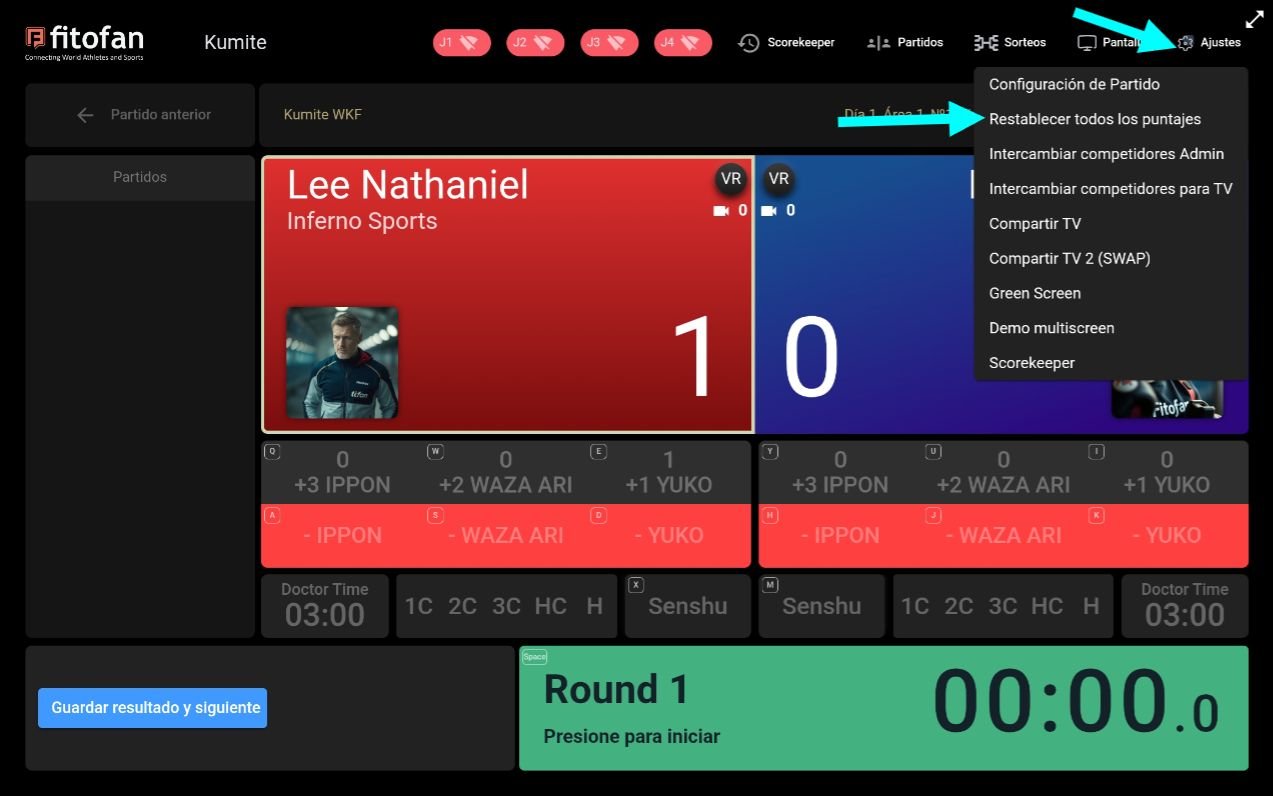
If it is necessary to delete the result of an already completed match, go to Settings and select Reset All Scores.
Important: This action cannot be undone.
9 Changing Matches and Checking Brackets
You can view the category bracket under Draws and jump to a specific match by clicking Go.
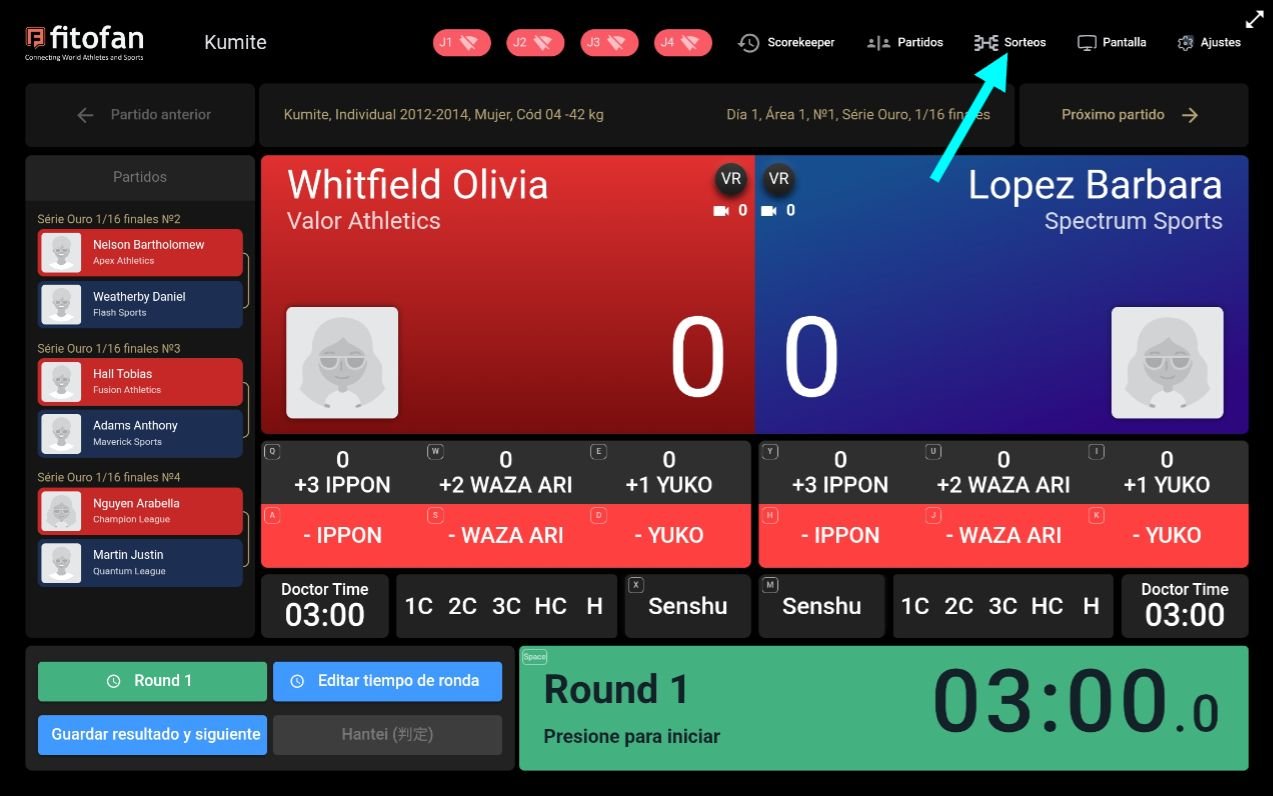
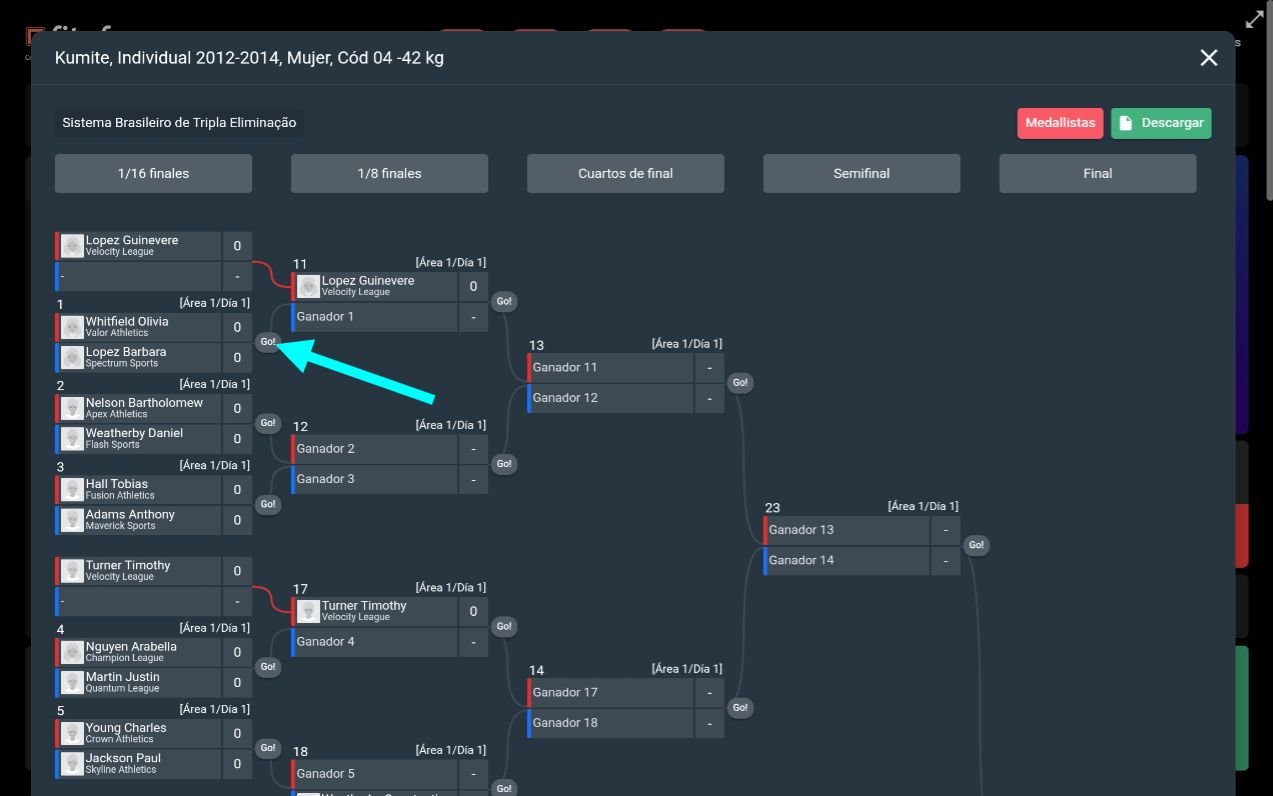
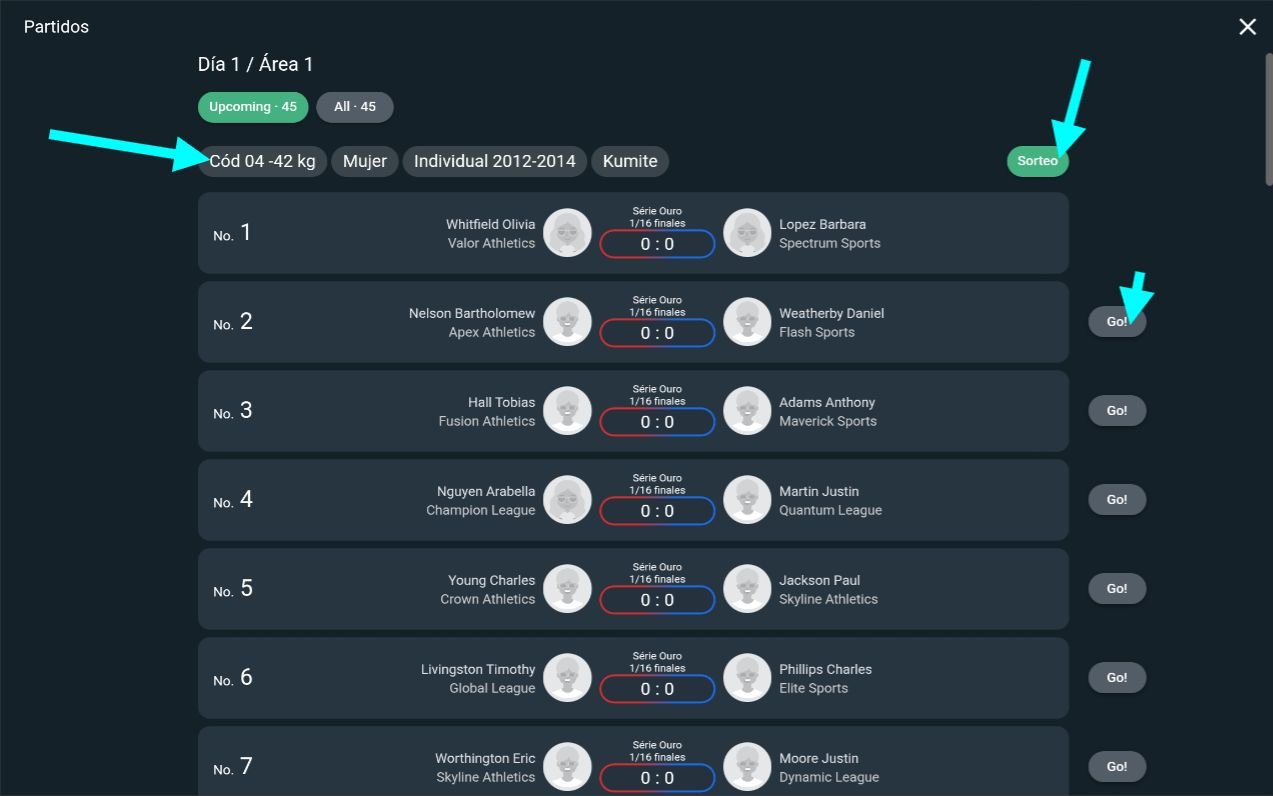
You can view the match order and move forward or backward between matches under Matches (to the left of Draws).
You can also use Go to jump to another match, including matches from other categories.
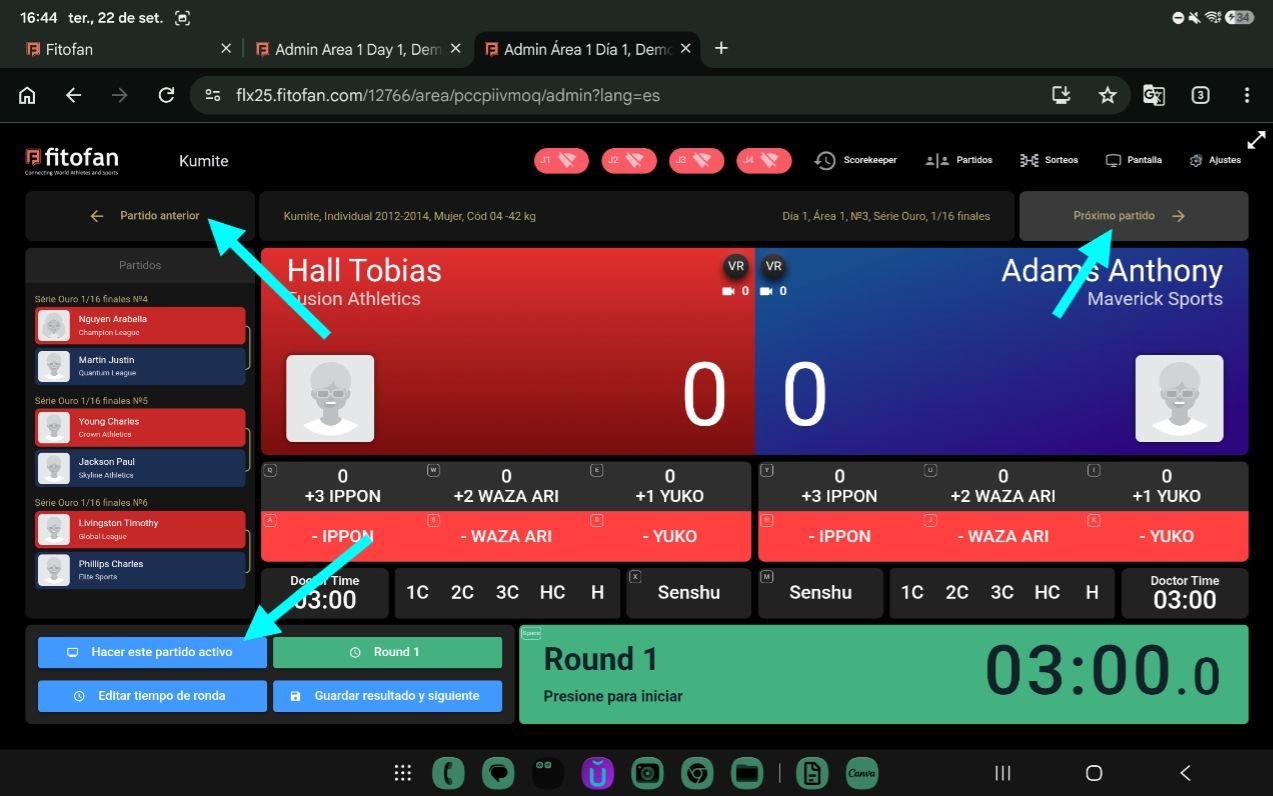
The Next Match and Previous Match buttons allow you to view other matches without changing what is displayed on the TV.
To change the active match in this way, you must click Make Match Active.
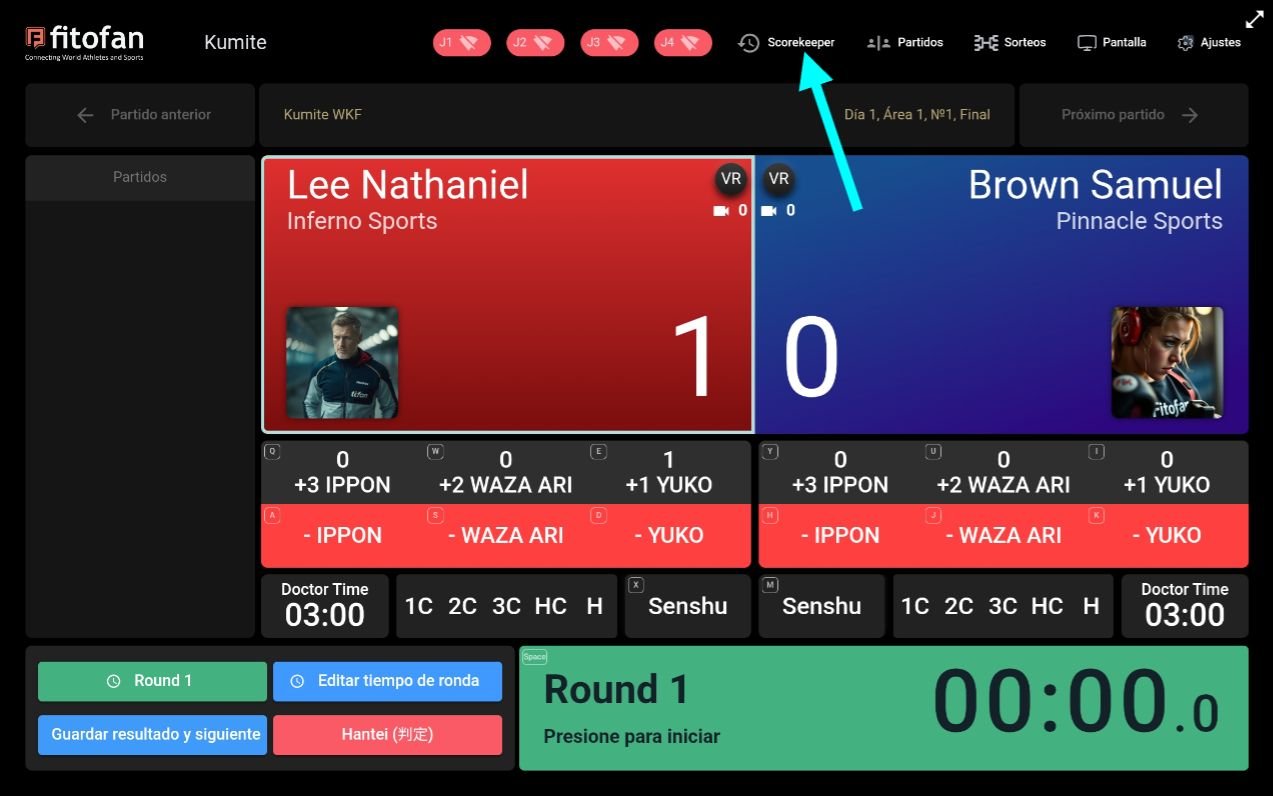
10 Scorekeeper
With the Scorekeeper, you can check which score each judge entered on their joystick, as well as view details about the timing and actions performed by the administrator.
Published on September 21, 2026 at 08:15 PM•69 Views