How Register for an Event
Registering for events
Check our guides on how to create an personal account and join a team.
Table of contents
1 Register as an athlete (individual registration)
2 Register your team's athletes (for coaches)
1 Register as an athlete (individual registration)
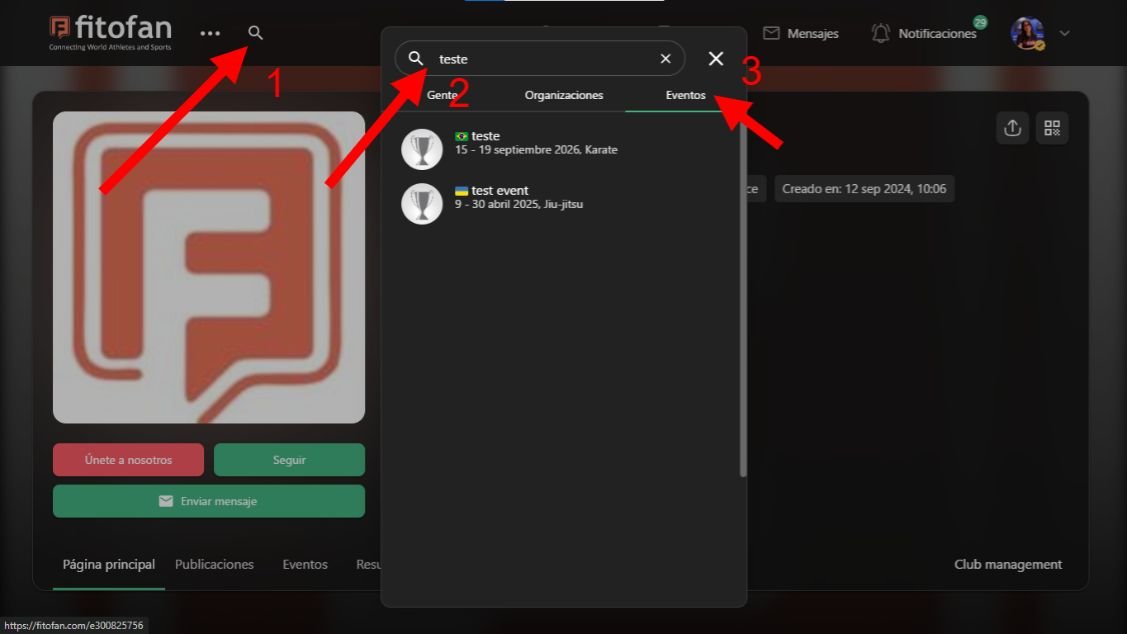
In the magnifying glass icon look for the event name and click on the event.
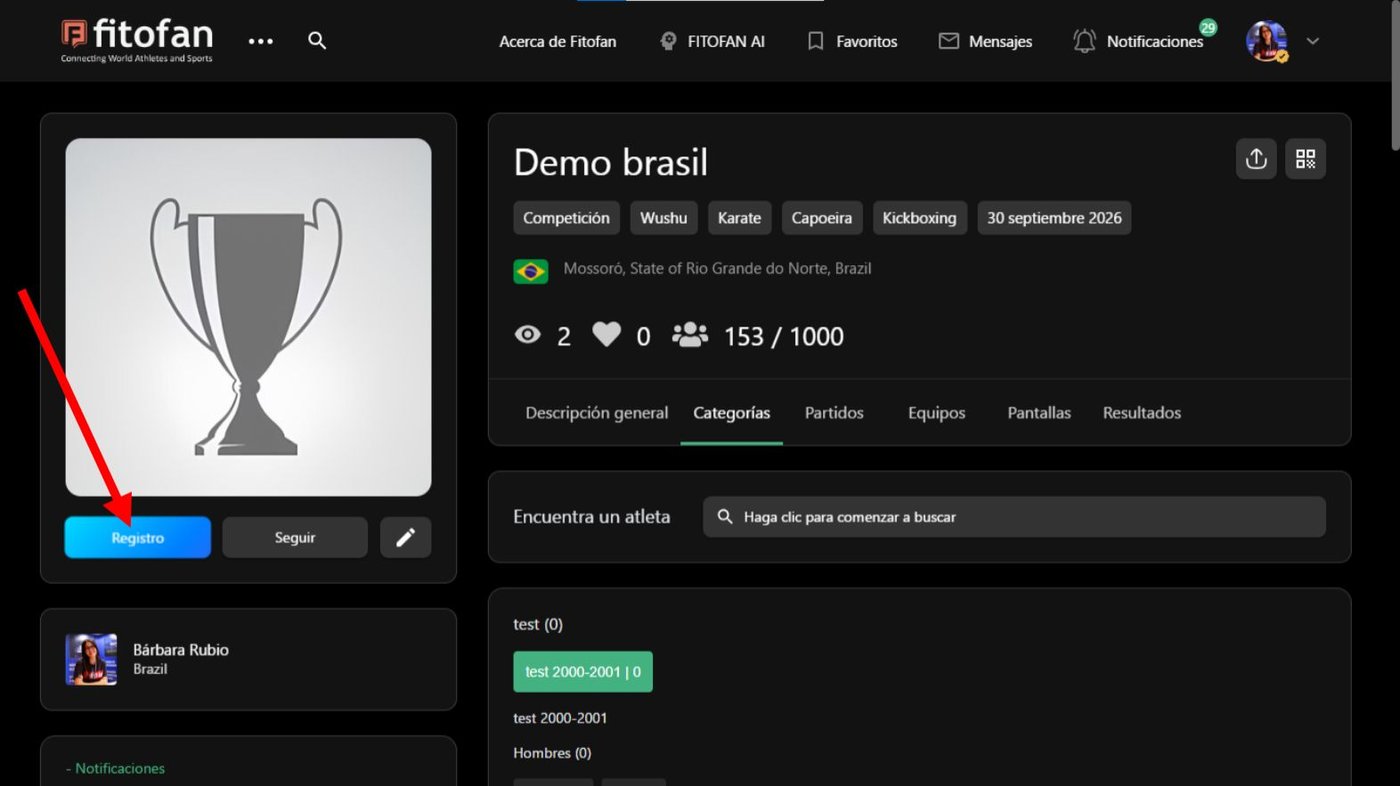
Click Register.
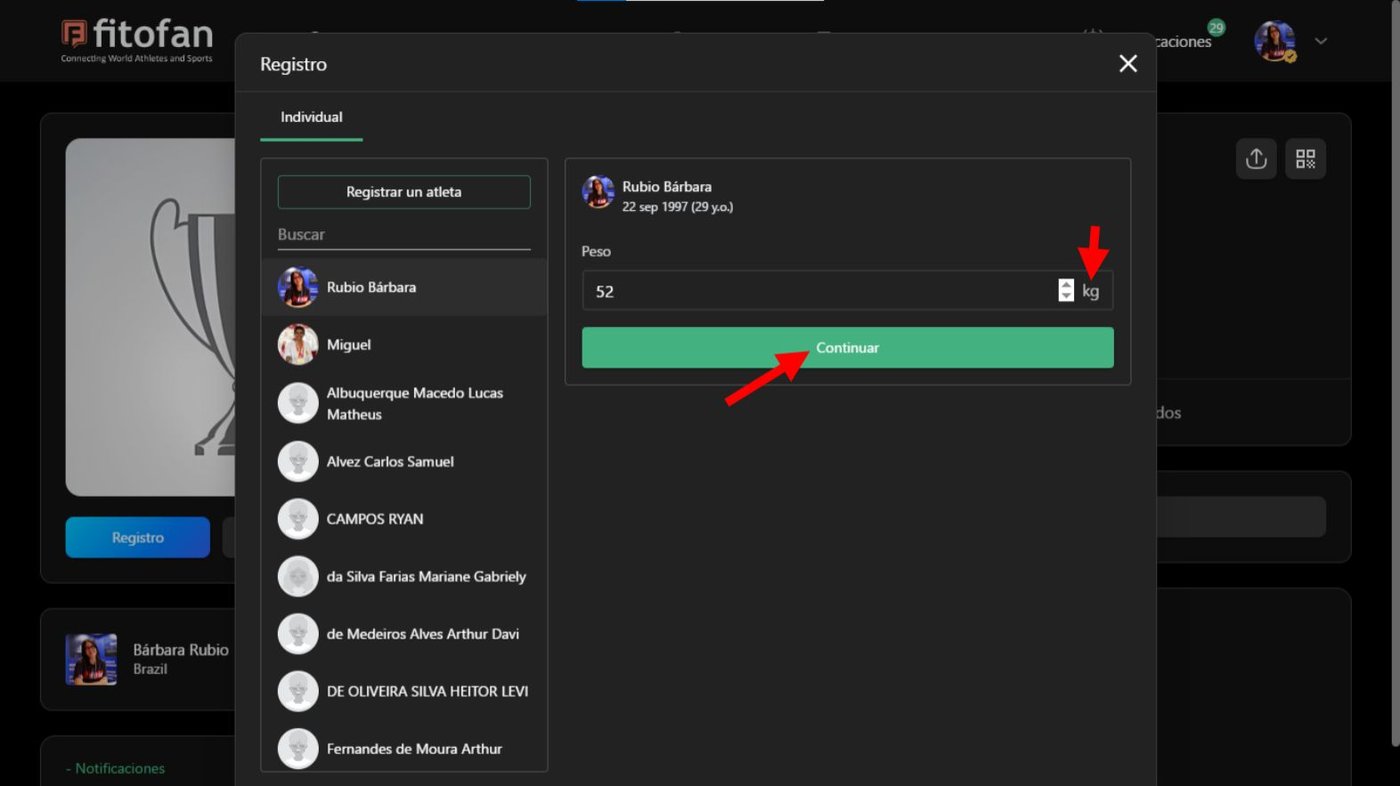
If the event asks to inform the weight and/or height, add it and click Continue.
Tip: check the metric system used by the event.
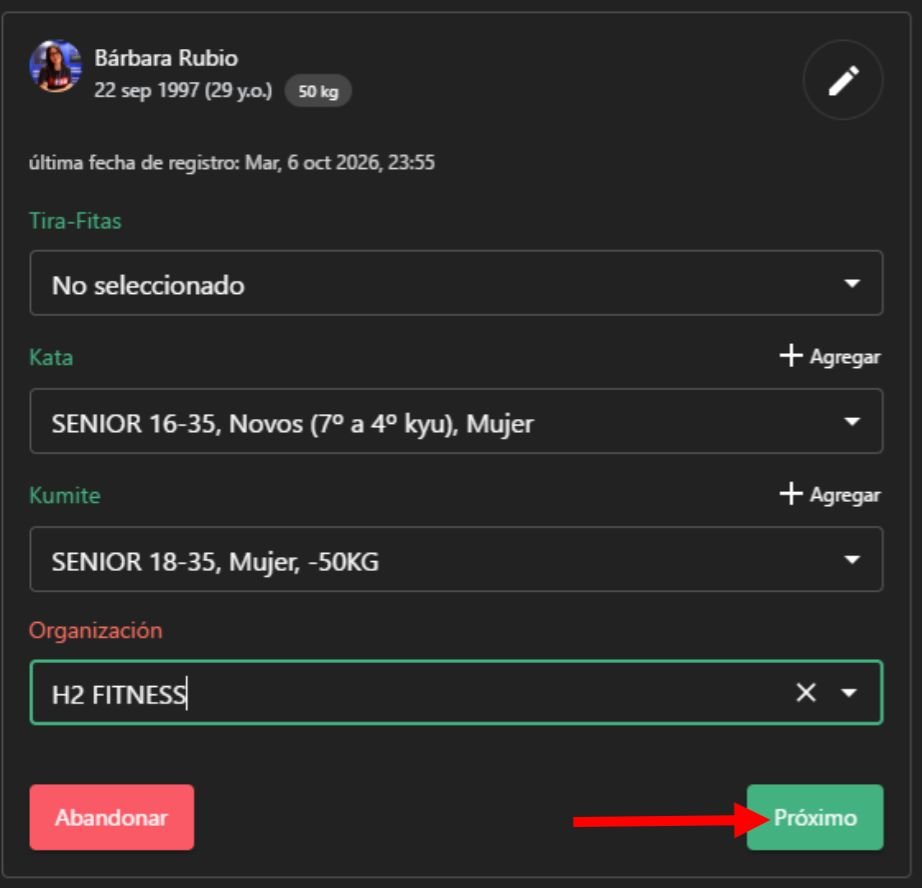
Select the Discipline and Category that suits you, your team and click next.
Not part of an organization?
Check how to join an organization or how to create your organization.
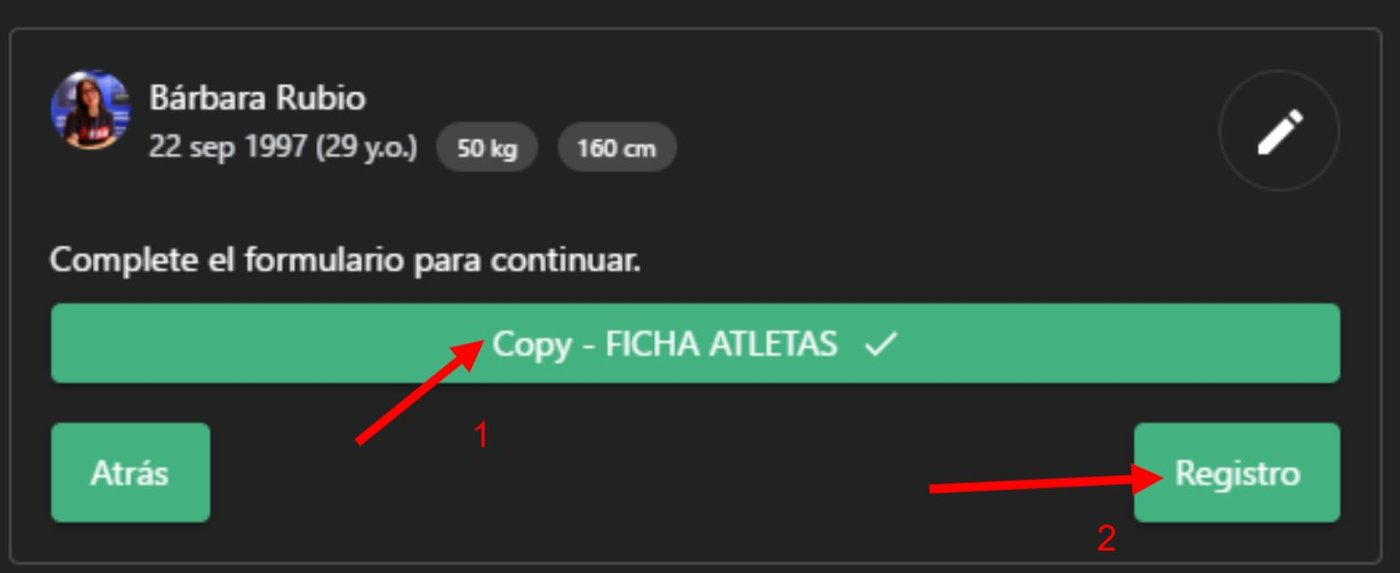
If the event asks for and additional form, click on the form and fill it. After it click Register.
Payment
There are multiple ways a organization can set up their payment system for events.
Online transaction
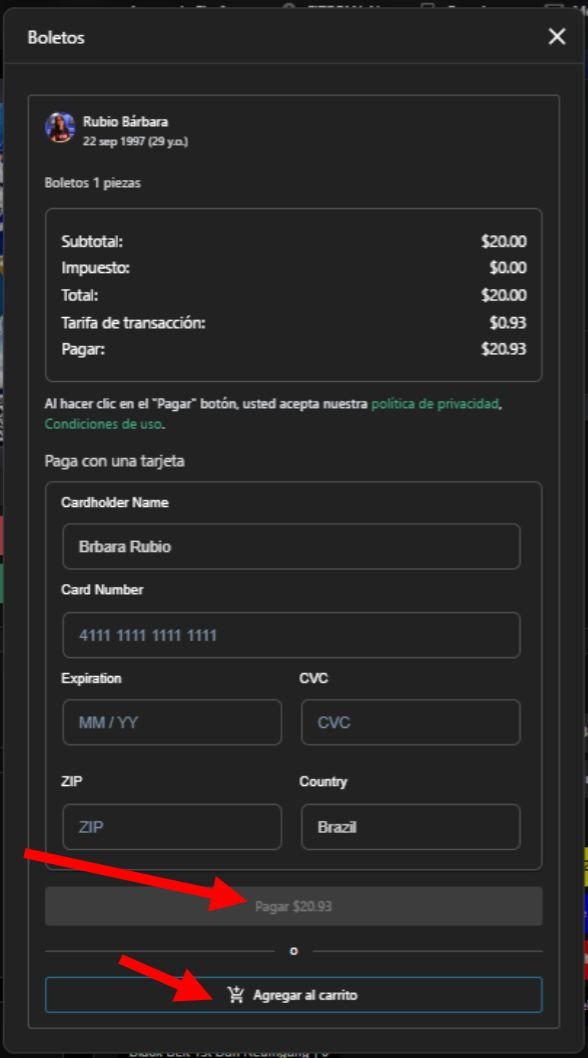
If the event has an online payment method enable fill the info and click register or add to the cart and finalize later.
Upload of proof of payment.
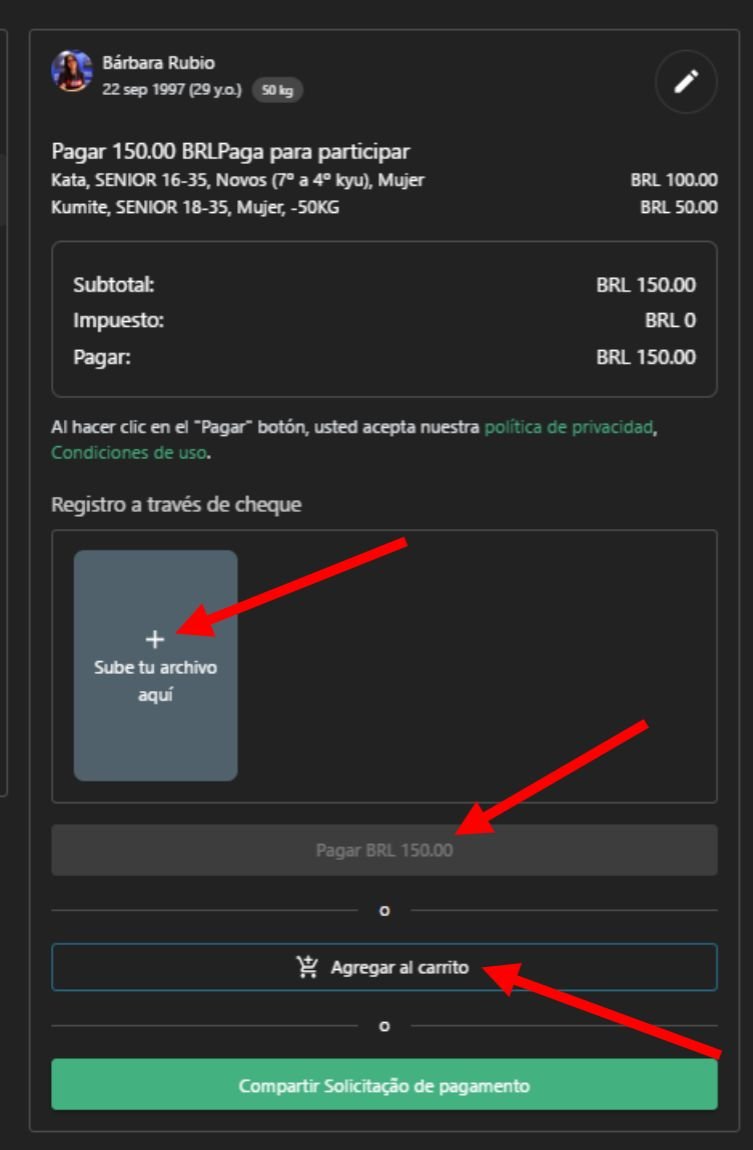
If the event enable the upload of a file, click on the + sign and chose your file.
Then you can add it to your cart to finish later or pay an finalize the process.
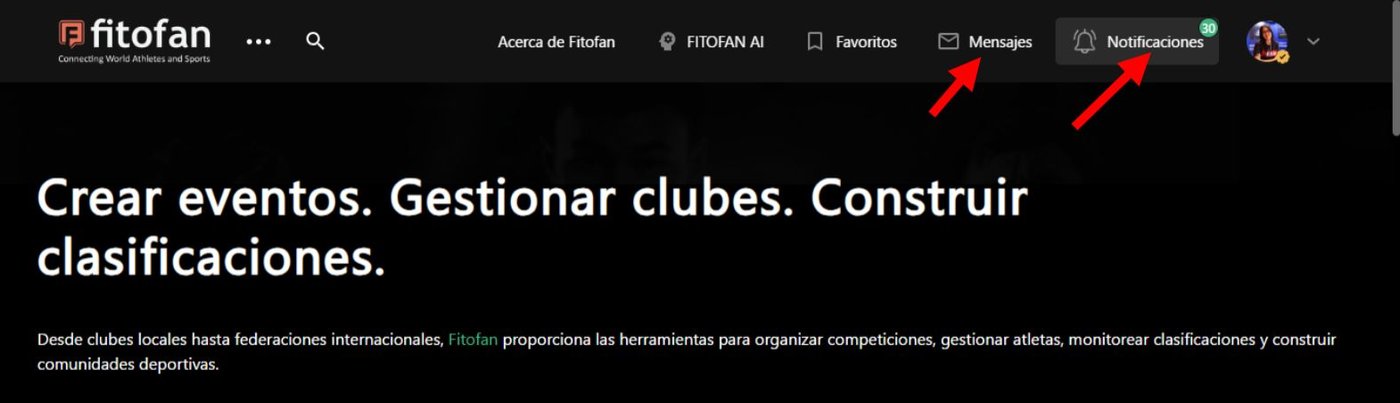
Tip: Check your notifications regularly, the organizers may reach out to you, or if needed ask for a second upload of the proof of payment.
Download the fitofan app to receive push notifications and not lose any updates.
2 Register your team's athletes
If you are a coach or organization manager is possible to register the members of your organization.
But first you need to create your team.
Click Register.
Search for your athlete's name or create him/her right away.
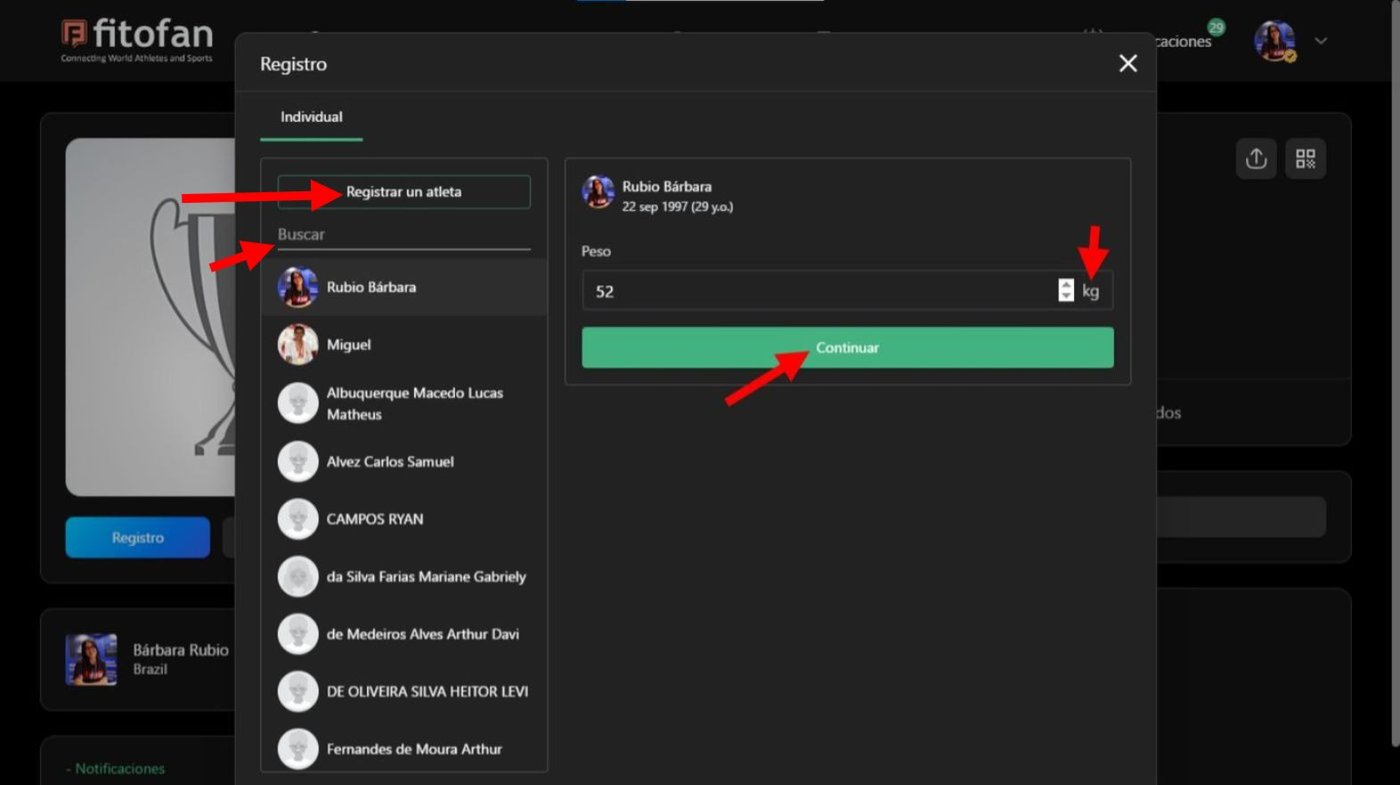
Proceed to fill the infomation of the athlete as shown in the first part of this guide.