Setting up the Judging System
How to set-up the Judging System
On the event page, click the pencil icon located just below the event image.
You must be an event administrator to see the pencil icon.
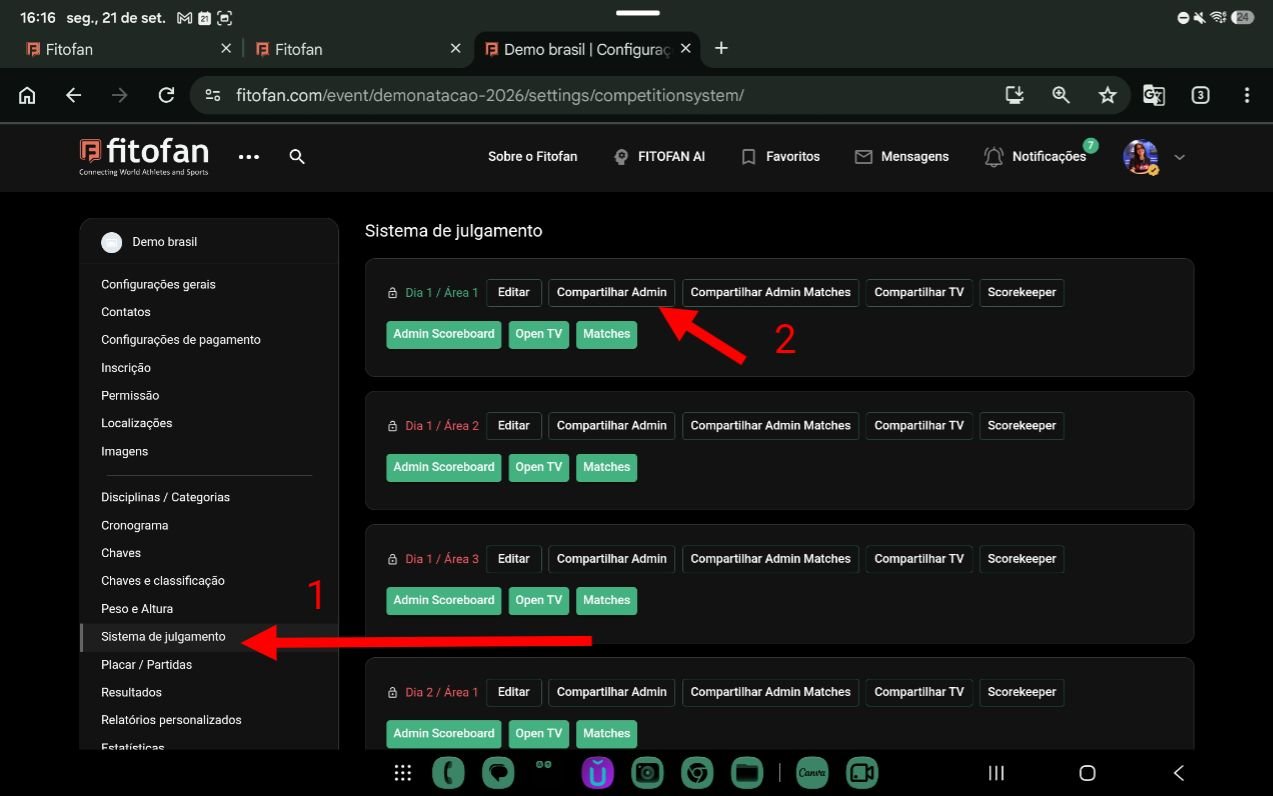
In the left bar menu, look for Judging System.
Click Share Admin
Attention
The competition area must be Active (GREEN).
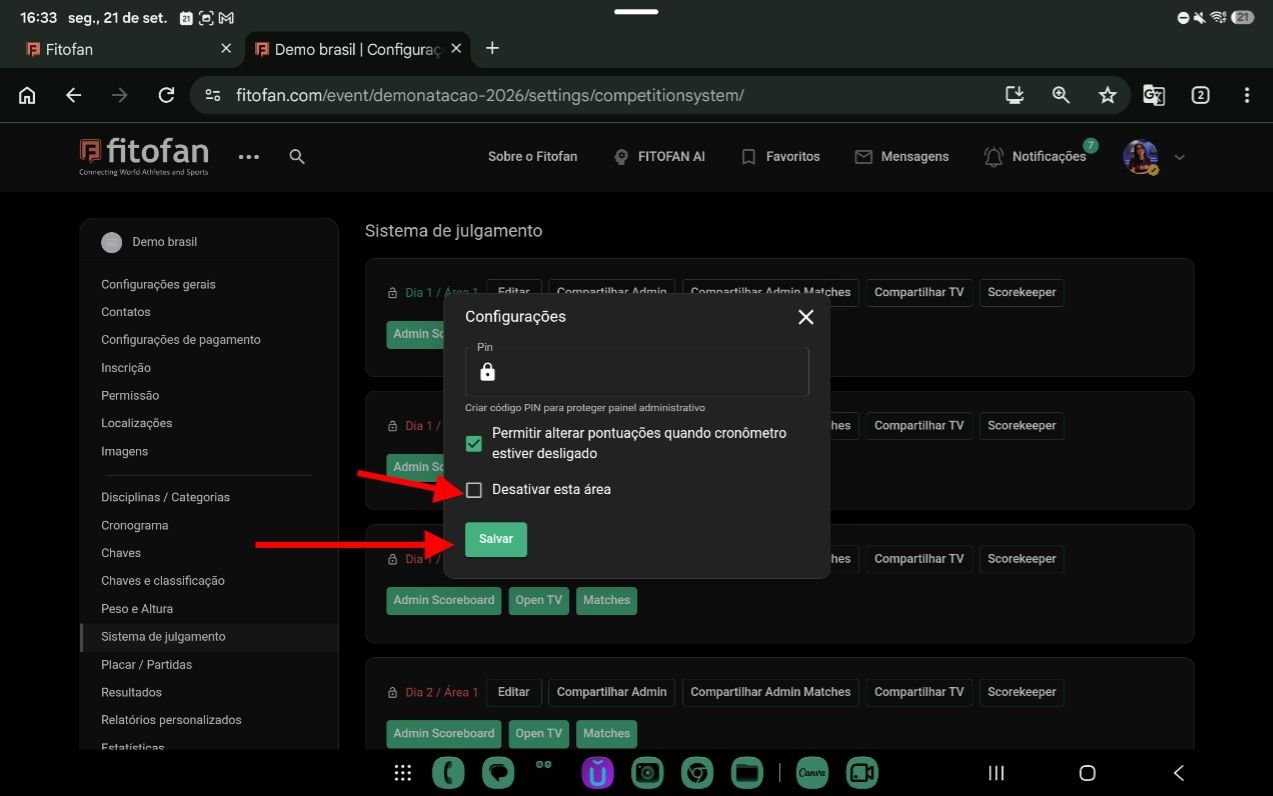
To activate it, click Edit, uncheck the option to deactivate the area, and click Save.
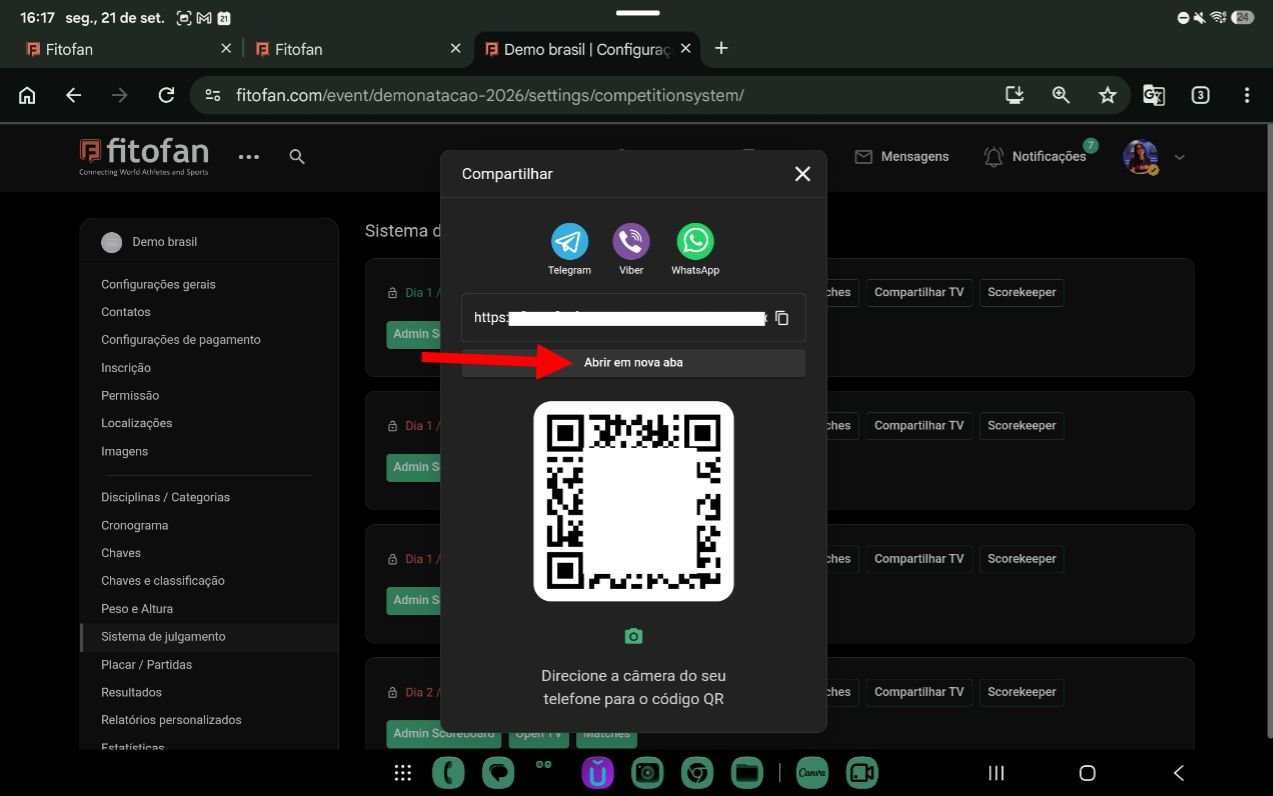
You can open the scoring system in a new tab or easily share it with another device.
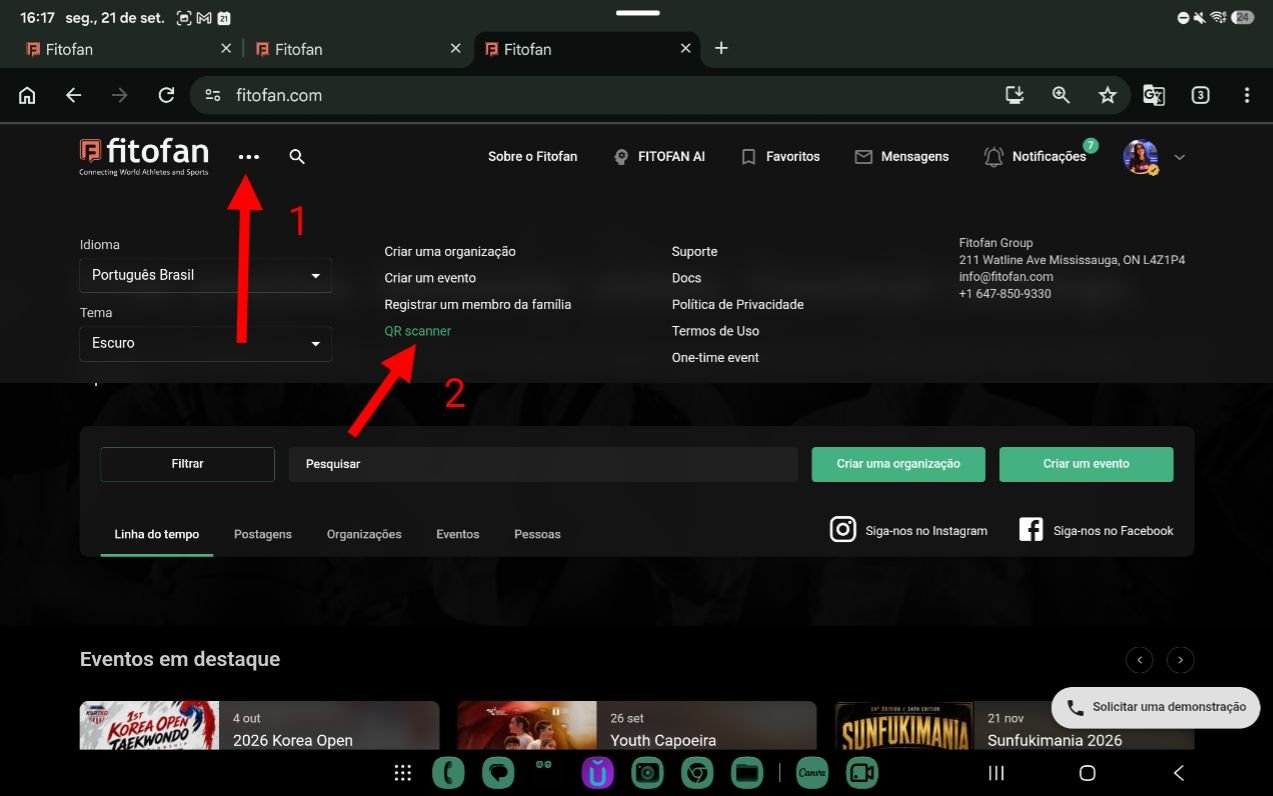
On the device that will be used to operate the scoring system, open https://fitofan.com, click the three dots, and then scan the QR code shown previously.
Camera access must be enabled.
Published on September 21, 2026 at 07:48 PM•172 Views