Setting up your team (for coaches)
Setting up your team (for coaches)
After creating your personal account, it is time to set up your team's page.
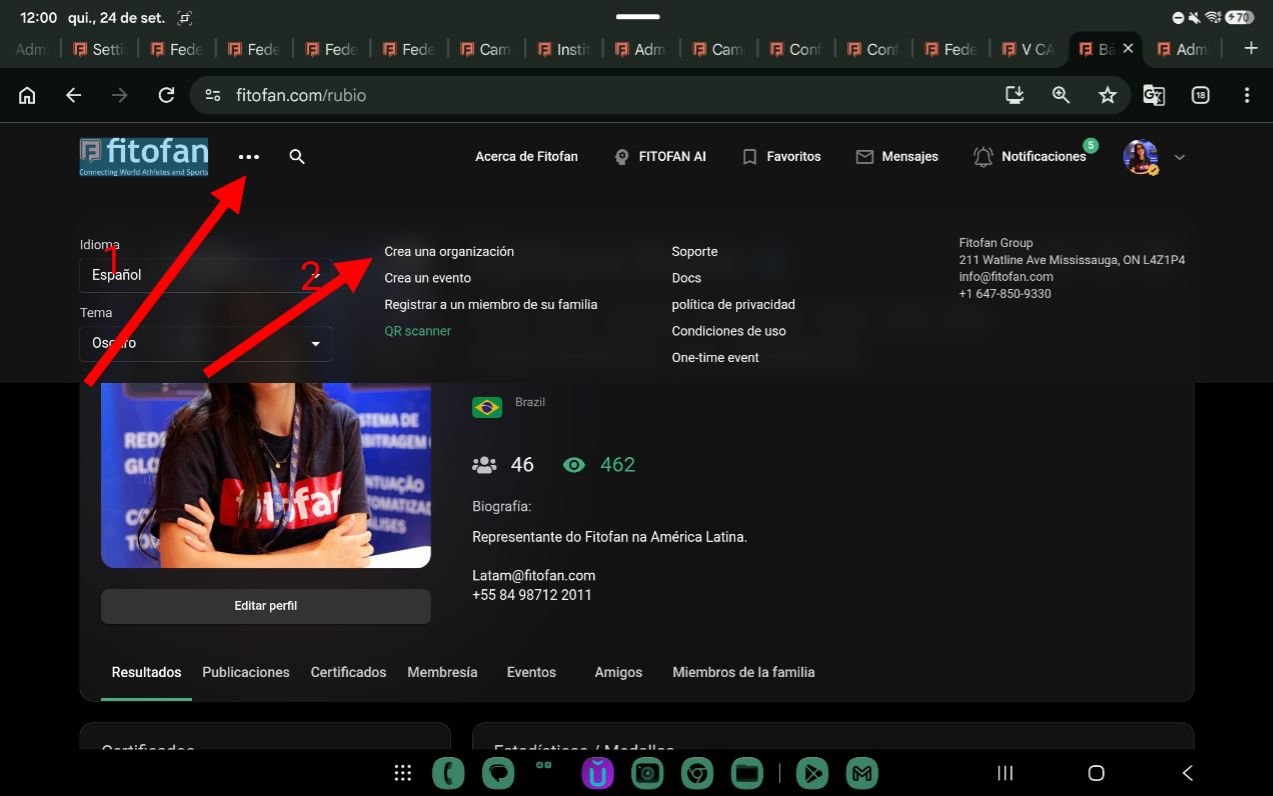
Click on the three dots and then select Create an Organization.
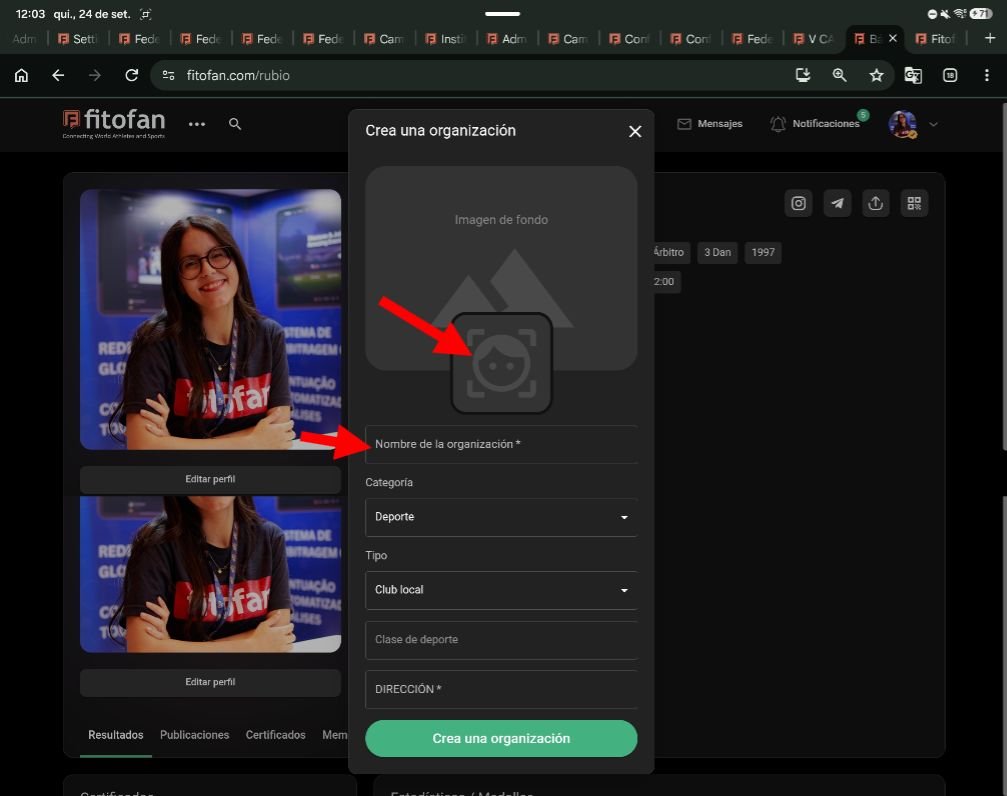
Fill in your organization's information.
Important: The sport class must match the one used for the event your students will participate in.
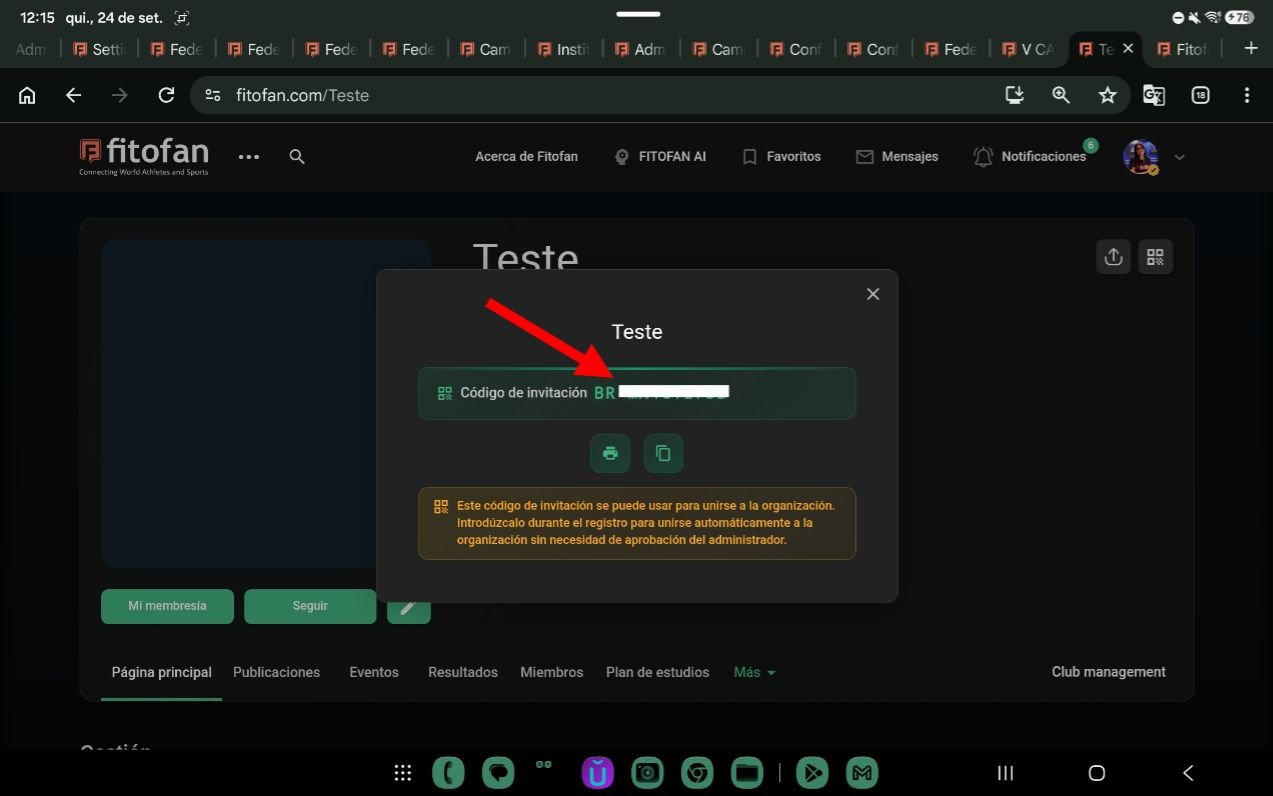
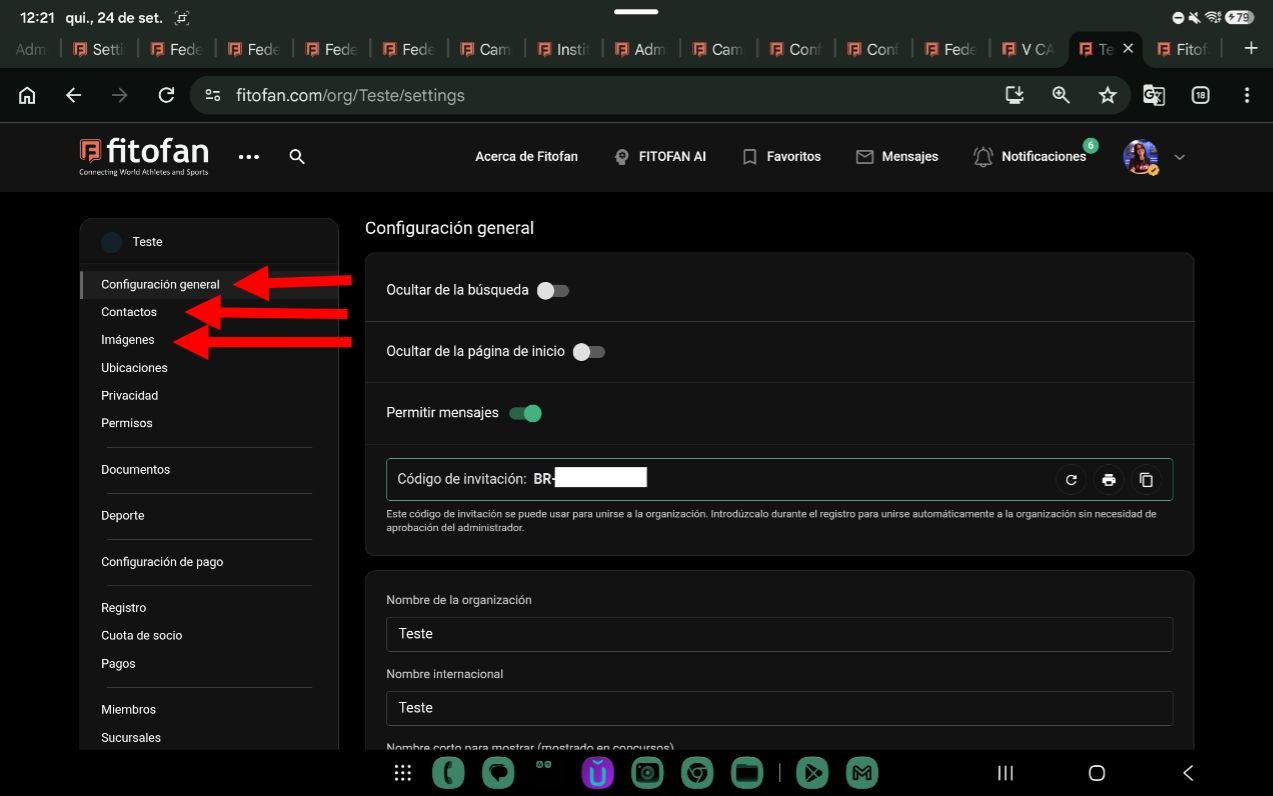
Copy your organization's invitation code and send it to your members.
The code allows your members to automatically join your organization when they create their accounts.
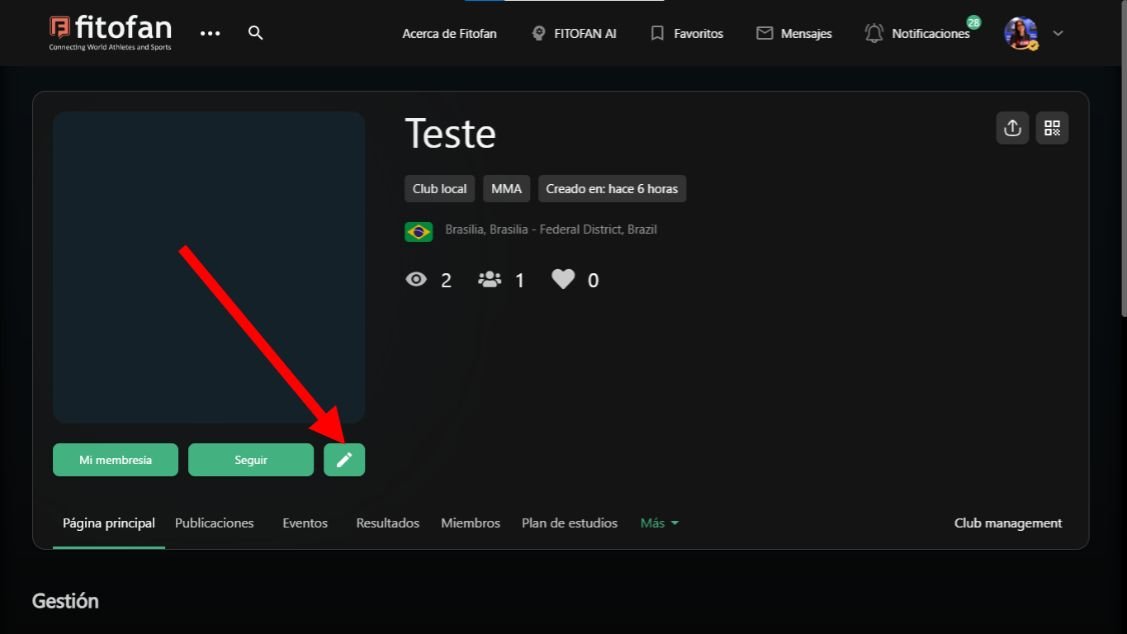
To edit your organization's information, click on the pencil icon located below the club's photo.
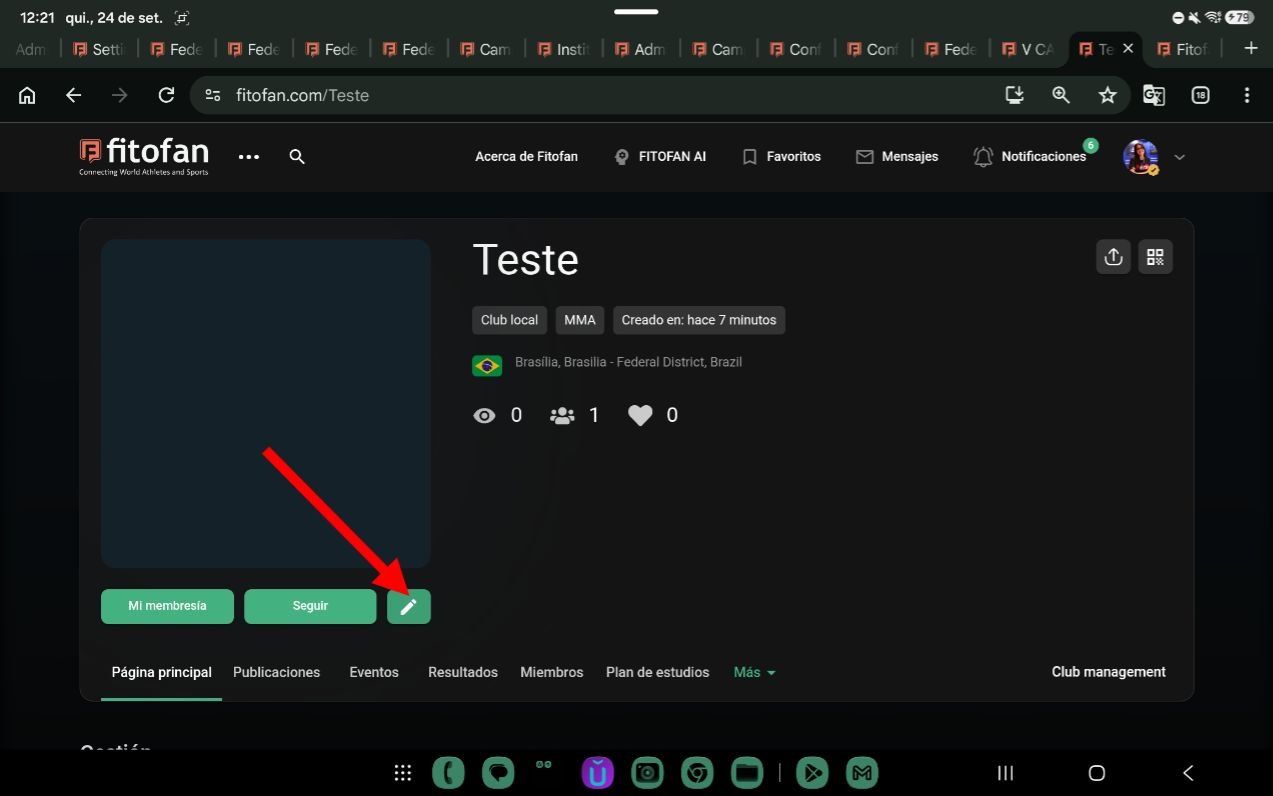
Customize your organization's page.
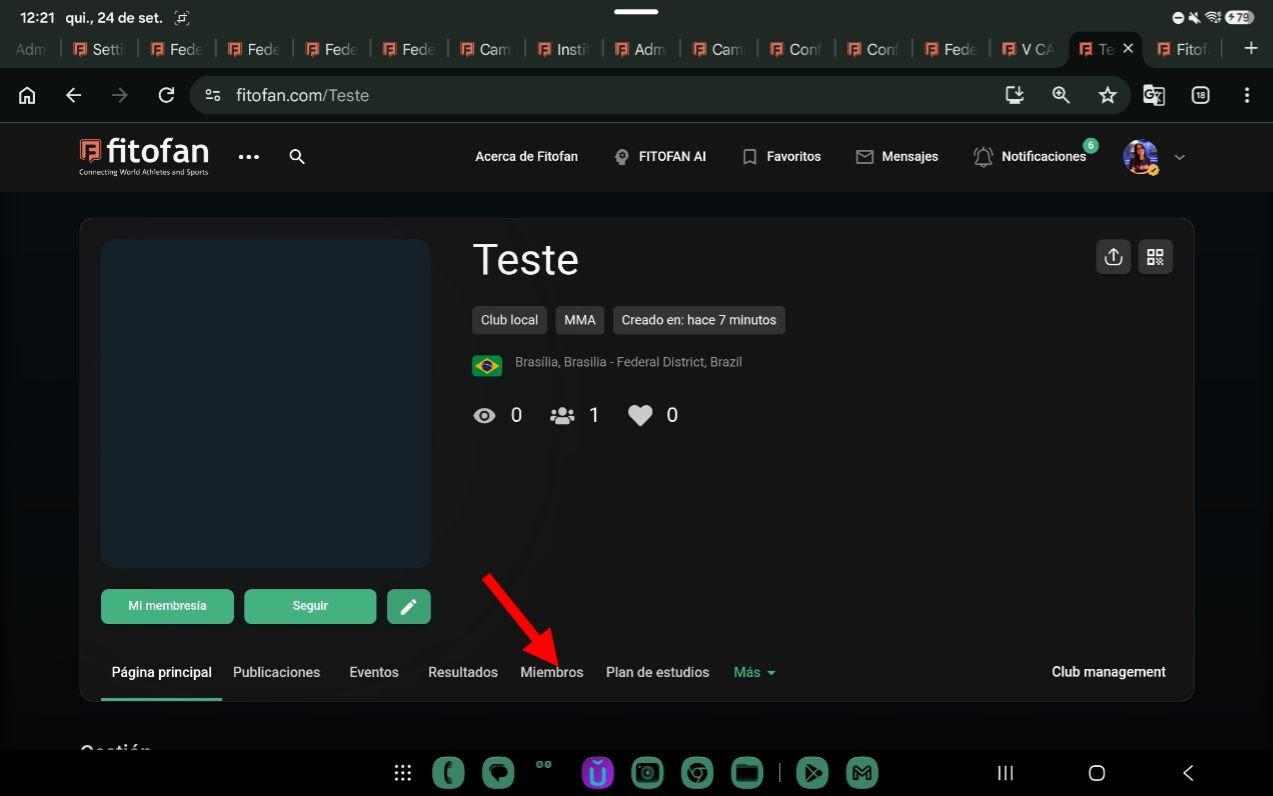
How to Register Your Members
On your organization's page, click on Members.
Then, click on Create a Member.
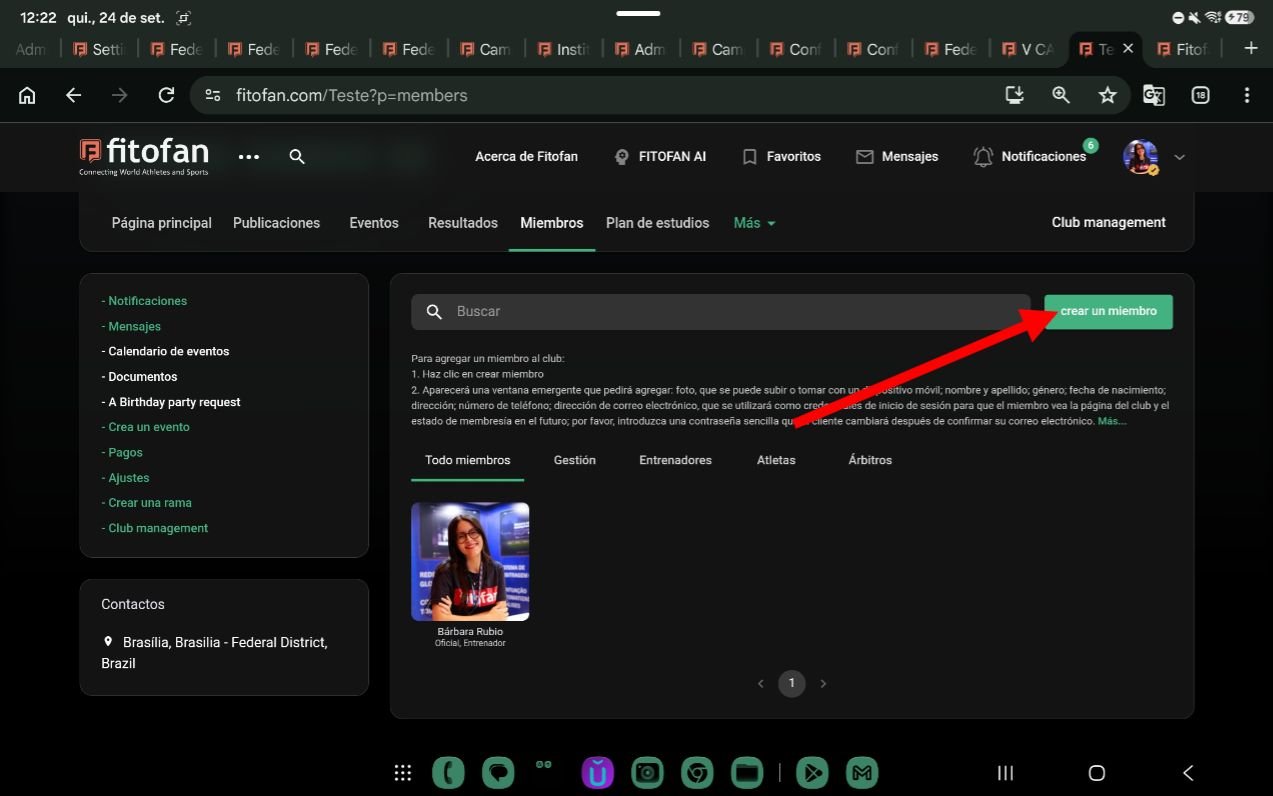
Fill in your student's information and click on Register.
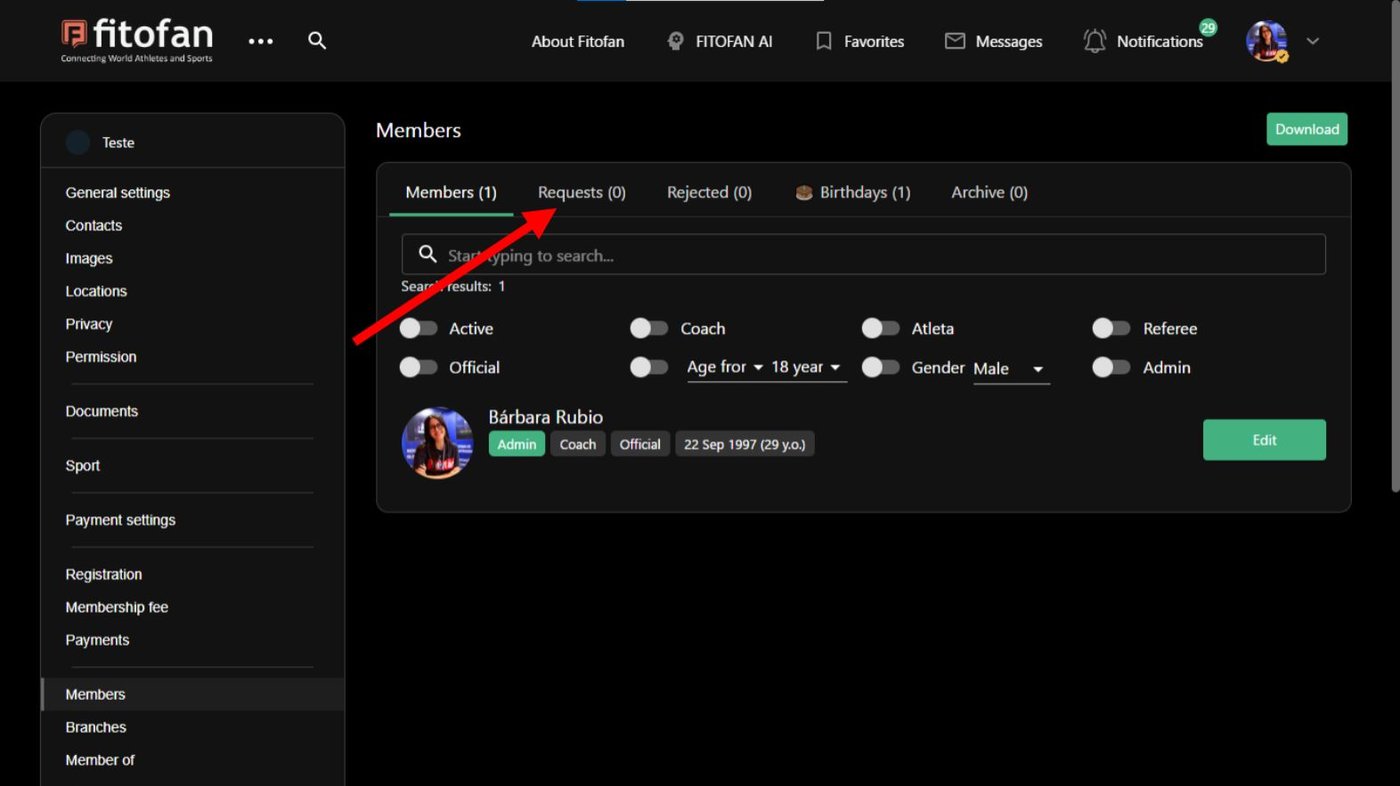
You can also accept or deny requests from your members. Click the pencil icon.
In the left sidebar menu look for Members.
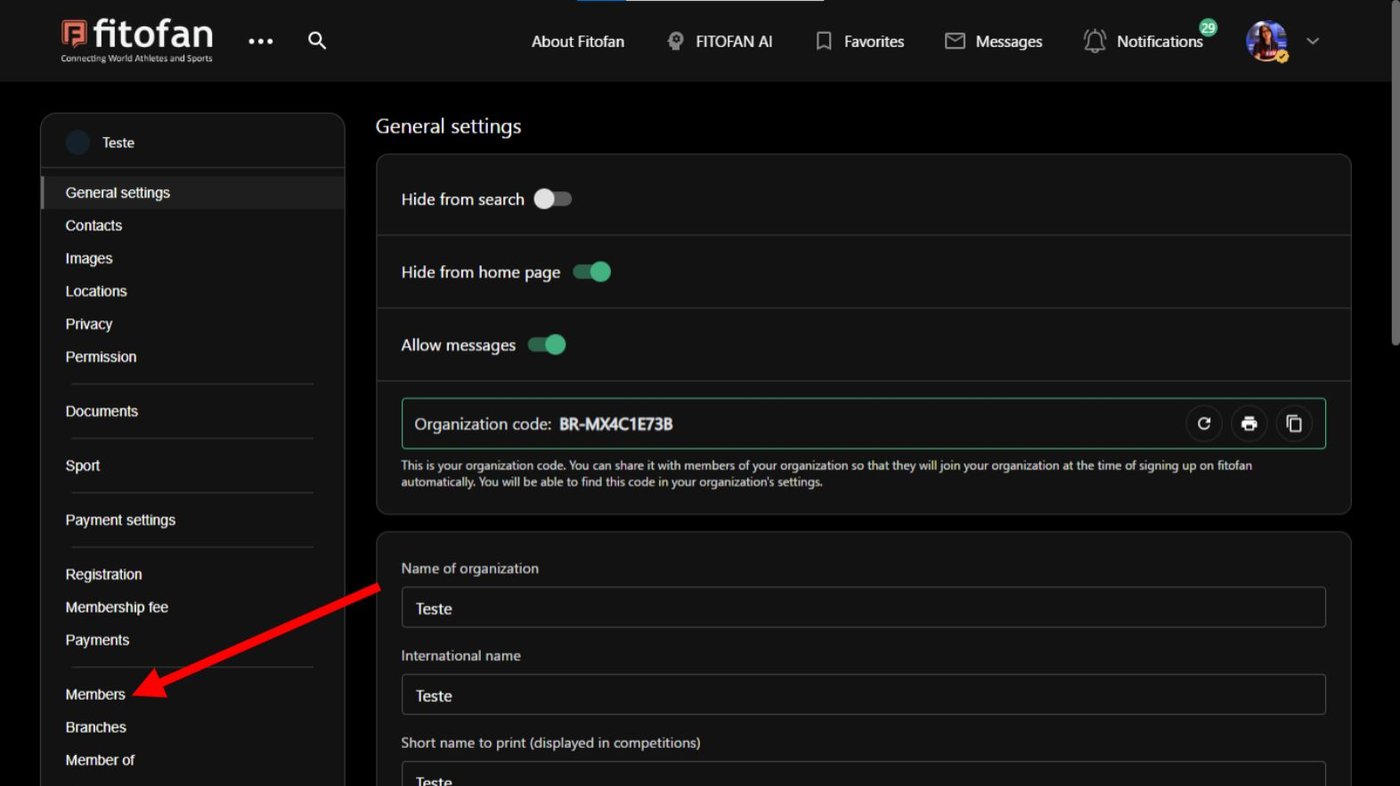
Click Requests and accept or deny them.